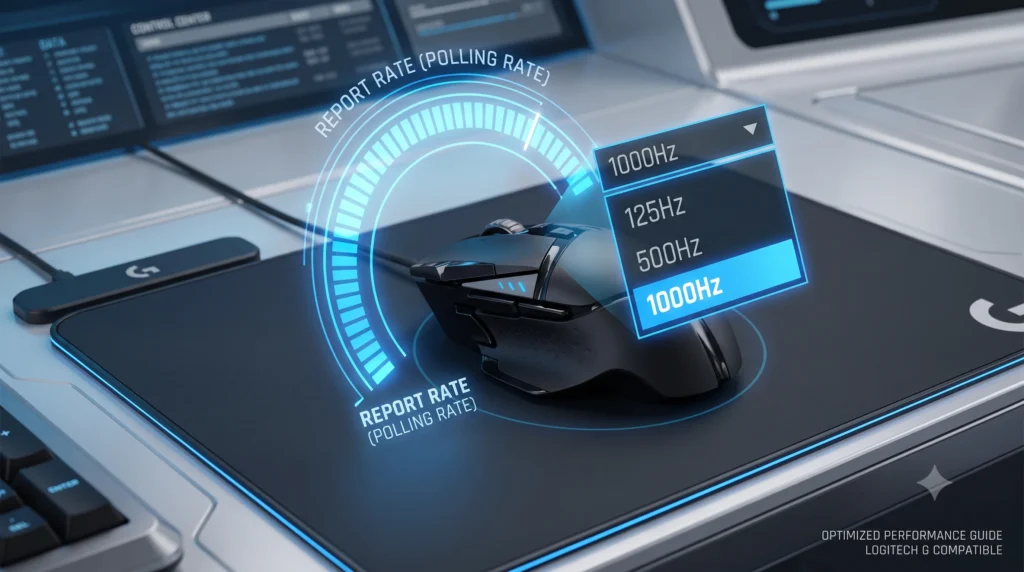
The polling rate matter for gaming, especially for competitive gamers seeking precision and responsiveness. It refers to how often your mouse reports its position to the computer, typically measured in Hertz (Hz). For instance, a mouse with a polling rate of 1000 Hz reports its position every millisecond, while a 500 Hz mouse does so every two milliseconds. This difference can lead to noticeable improvements in tracking accuracy and reaction times during intense gameplay scenarios, making it essential for players who rely on quick reflexes and precision movements.
Before we get into the theory, you can check what your mouse is actually doing right now, in your browser.
We are going to settle this properly. In this guide, we will explain exactly what polling rate means, how it affects input lag, latency, and responsiveness. What the real-world difference feels like between 125Hz and 1000Hz (and beyond), and when upgrading to a higher polling rate is actually worth your money. Consider this your full “polling rate explained” reference, by the end, you will know exactly what polling rate to look for the next time you buy a gaming mouse, and you will be able to test your own mouse to see what it is really doing.
Table of Contents
What Is Polling Rate, Exactly?
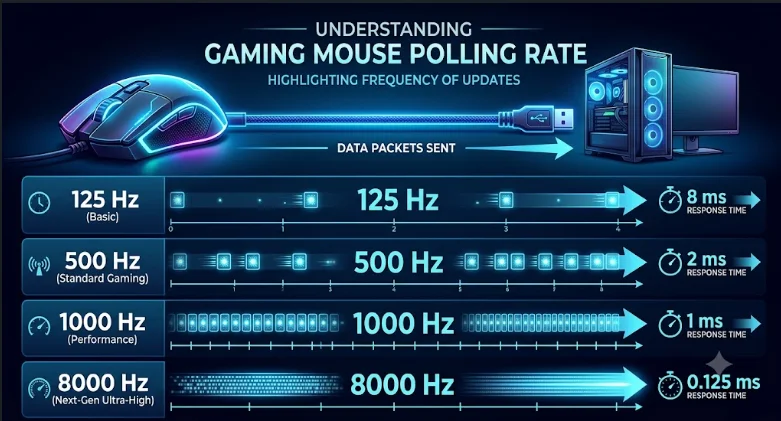
Polling rate refers to how often your mouse communicates its position to your computer, measured in Hertz (Hz). Every time you move your mouse, it sends an update to your PC telling it where the cursor should go next. A mouse with a 1000Hz polling rate sends 1000 of these updates every second. A mouse running at 125Hz, the old USB default, only sends 125 updates per second.
Put simply: the higher polling rate means the mouse communicates its position more frequently, which means your PC has fresher information about where your cursor actually is at any given moment.
Here is the part that trips a lot of people up: polling rate is not the same thing as DPI. Mouse DPI controls how far the cursor moves on screen relative to how far you physically move the mouse, that is sensitivity. Your mouse’s polling rate controls how often the mouse reports its position, that is frequency. You can have a mouse with very high DPI and a low polling rate, or the other way around. They solve two completely different problems, and understanding polling rate vs DPI is the first step to actually picking the right setup for your gaming style.
How Often the Mouse Reports Position, in Plain English
Think of polling rate like a flipbook. The more pages (reports) you have per second, the smoother the “movie” of your cursor looks. At 125 times per second, you get a choppier flipbook. At 1000 times per second, the motion looks far smoother because the gaps between each report are tiny, about 1 millisecond apart, instead of 8 milliseconds apart.
Common Polling Rates and What They Actually Mean
Most gaming mice today let you choose between several different polling rates in their polling rate settings menu, and each one carries a real, measurable difference in how long it takes your mouse to “talk” to your PC:
| Polling Rate | Report Interval | Typical Use Case |
| 125Hz polling rate | 8 ms | Older office mice; default on some budget wireless gaming mice |
| 500 Hz polling rate | 2 ms | Mid-tier setting on many gaming mice |
| 1000 Hz polling rate | 1 ms | Competitive gaming standard, 1000 times per second |
| 4000Hz – 8000Hz | 0.25 ms – 0.125 ms | “Hyper-polling” / 8K polling on flagship competitive mice |
If you want to know exactly which one your mouse is using right now instead of guessing from a spec sheet, our free Mouse Polling Rate Tester lets you check it live in your browser, just move your mouse during the test and it shows your real average and peak Hz.
Does Polling Rate Matter for Gaming For Real?
Short answer: yes, polling rate matter for gaming, but the impact is smaller than most marketing pages make it sound, and the polling rate affect on your gameplay shows up more in some gaming scenarios than others.
Here is what polling rate actually affects:
It can reduce input lag. Going from 125Hz to 1000Hz polling rate takes your reporting delay from 8 milliseconds down to 1 millisecond. In fast-paced, competitive gaming, first-person shooters especially, that difference can be the gap between a flick shot landing and missing by a fraction of a second. It will not single-handedly make you a better player, but it removes one small source of delay between your hand and what happens on screen.
It smooths out cursor movement. A higher polling rate means more frequent updates, so fast mouse movement looks and feels less jumpy, particularly when paired with a high refresh rate monitor. A consistently high polling rate ensures your PC always has fresh, accurate data about where your cursor actually is, instead of working from stale information. If your gaming PC is running a 240Hz or 360Hz display, a low polling rate mouse can actually become the bottleneck, because your monitor is ready to show a new frame faster than your mouse updates its position.
It does not improve aim by itself. This is the part that gets oversold. Polling rate determines how often your mouse talks to your PC, it does not make your sensor more accurate, and it will not fix bad mechanics or inconsistent DPI settings. If your aim feels off, the issue is rarely polling rate.
Diminishing returns are real. The jump from 125Hz to 1000Hz polling rate is a genuine, perceivable improvement for most gamers, and this is exactly why most modern gaming mice come configured at 1000Hz out of the box. The jump from 1000Hz to 8000Hz is far more subtle, going from 1 millisecond down to 0.125 milliseconds is still a real reduction in lag, but most players will not consciously feel the difference in normal gameplay. The overall impact of polling rate on your gaming experience tends to matter more for esports-level competitive gamers and benchmark enthusiasts than for casual gaming sessions, and for purely casual play, a lower polling rate setting is rarely something you would even notice.
Polling Rate and CPU Usage: What You Should Know
One trade-off that does not get discussed enough: extremely high polling rates put more load on your CPU. At 8000Hz, your processor is handling 8,000 position updates every second instead of 1,000. On a modern, capable gaming PC this is usually unnoticeable. On an older or budget system, it can occasionally cause minor stuttering, especially if you are also running CPU-intensive background tasks. If you own a flagship 8K mouse but have an aging CPU, dropping back to 1000Hz polling rate is a perfectly reasonable choice, you will barely notice the difference in responsiveness, and you will avoid the extra overhead entirely.
Polling Rate and Battery Life (Wireless Mice)
If you are using a wireless gaming mouse, polling rate has a direct relationship with battery life. A wireless mouse reporting at 1000Hz is waking up its radio far more often than one set to 125Hz, which draws more power. This is not a reason to avoid high polling rate on a wireless mouse, most modern wireless mice are built to handle 1000Hz comfortably, but if you are choosing between 1000Hz and an extremely high polling rate tier like 4000Hz or 8000Hz on a wireless device, expect a real, measurable hit to how long it lasts on a charge.
Choosing the Right Polling Rate for Your Gaming Style
There is no single “best polling rate for gaming” that applies to everyone, the optimal polling rate depends on what and how you play, and learning to choose the right polling rate for your own setup matters more than chasing the highest number on the box.
- Competitive FPS and fast-paced gaming: 1000Hz polling rate is the widely accepted standard, and it is what most competitive gamers use. If your PC and monitor can comfortably support it, going up to 4000Hz or 8000Hz can shave off a little more input lag, but treat it as a refinement, not a requirement.
- Casual or story-driven gaming: 500Hz polling rate or even the 125Hz to 1000Hz range is genuinely fine. The responsiveness difference will not affect your gaming experience in a noticeable way.
- Wireless setups where battery matters: 1000Hz polling rate is usually the sweet spot, enough responsiveness for nearly any gaming scenario, without draining your mouse every few hours.
- High-refresh-rate monitor owners (240Hz+): Match your mouse polling rate as closely as you can to your monitor’s refresh rate, since a low polling mouse can become the limiting factor in how smooth your gameplay actually feels. If you are running an elite display, check out our guide on 8000Hz vs 1000Hz polling rate syncing to see how data frequency eliminates visual micro-stutters.
How to Adjust the Polling Rate on Your Mouse
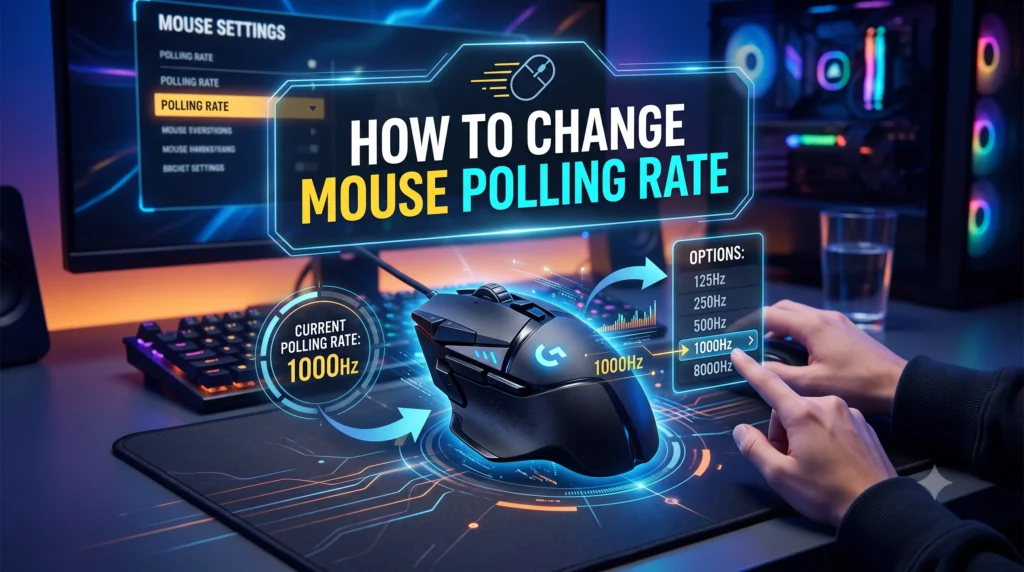
Most mice let you change the polling rate directly inside their official software. As a reminder, polling rate refers to how often your mouse reports its position, so this setting is usually found under performance or device settings:
- Open your mouse’s companion app (Logitech G HUB, Razer Synapse, SteelSeries GG, or Corsair iCUE are the most common).
- Find the device settings or performance tab.
- Locate the polling rate or “report rate” option.
- Select your preferred setting from the available common polling rates, typically 125Hz, 500Hz, 1000Hz, and on newer mice, 4000Hz or 8000Hz.
After you adjust the polling rate, it is worth confirming the change actually applied correctly, since some mice default back to a lower setting after a firmware update or USB reconnect.
Frequently Asked Questions
Does higher polling rate always mean better gaming performance?
Not necessarily. A higher polling rate reduces input lag and smooths mouse movement, but it will not fix aim mechanics, sensor accuracy, or in-game settings. For most gamers, 1000Hz already delivers the best experience-to-overhead ratio.
What is the difference between polling rate and refresh rate?
Polling rate refers to how often your mouse reports its position to your PC. Refresh rate refers to how many times per second your monitor redraws the image on screen. They work together, a high refresh rate monitor benefits from a high polling rate mouse so the two are not bottlenecking each other.
Is 1000Hz polling rate enough for competitive gaming?
Yes. 1000Hz polling rate has been the competitive gaming standard for years, and the vast majority of professional and competitive gamers play at this rate. Higher tiers like 4000Hz or 8000Hz offer marginal additional gains.
Can a low polling rate cause lag?
Indirectly, yes. A low polling rate (like 125Hz) increases the time between each position update your mouse sends, which adds a small amount of input lag. It will not look like classic network lag, but it can make fast mouse movement feel less precise.
Final Thoughts
So, does polling rate matter for gaming? Yes, but with realistic expectations. A higher polling rate translates directly into less time between each position update, and moving from 125Hz to 1000Hz polling rate is a genuine, easy-to-justify upgrade that reduces input lag and makes cursor movement noticeably smoother, especially in fast, competitive gaming. Pushing further into 4000Hz or 8000Hz territory delivers real but much smaller gains, and is worth it mainly if you already have the hardware to support it and you are chasing every last millisecond.
The best way to know where you currently stand is to stop guessing and actually test it. Check your mouse’s true polling rate with our free tool, and use what you learn here to decide whether it is time to adjust your settings or upgrade your hardware.