Introduction
If you’ve ever shopped for a gaming mouse, you’ve seen two numbers thrown around constantly: DPI and polling rate. Marketing pages love to brag about “16000 DPI” or “8000Hz polling,” but most buyers have no idea what these terms actually mean, which one matters more for gaming performance, or whether their mouse is even hitting the number on the box. (You can check that yourself with a mouse polling rate tester in under a minute.)
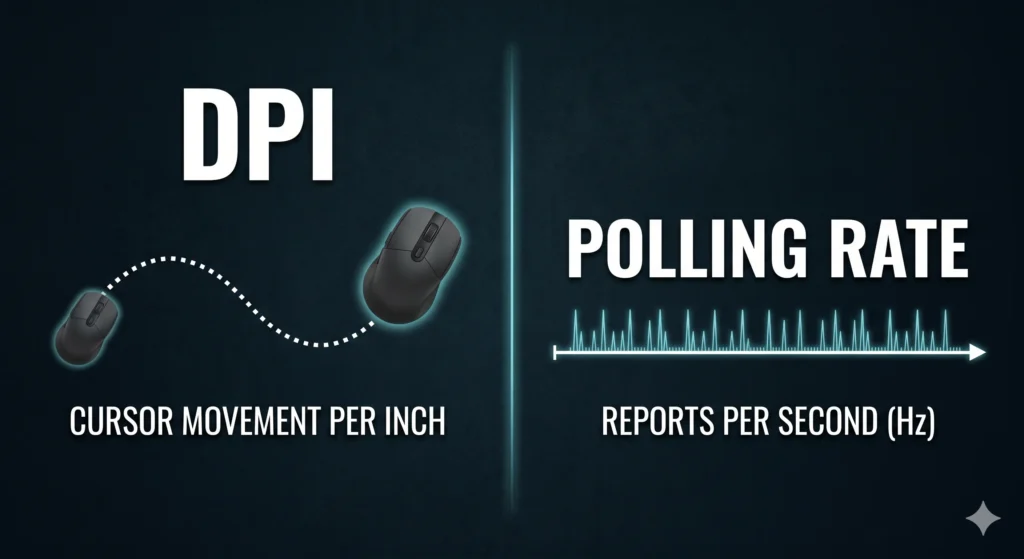
Here’s the short version: DPI controls how far your cursor moves when you move the mouse. Polling rate controls how often your mouse reports its position to your PC. They sound similar, but they do completely different jobs.
In this guide, you’ll learn what each setting actually does, how they affect gaming and accuracy, which one matters more for your specific use case, and the best dpi vs polling rate combinations for FPS, MOBA, RPG, and office work. We’ll also bust a few common myths and walk through how to test your own setup.
Key Takeaway: DPI affects sensitivity and how far the cursor moves on screen. Polling rate affects how quickly your mouse movement is reported. Both matter, but in different ways.
Table of Contents
What Is DPI?
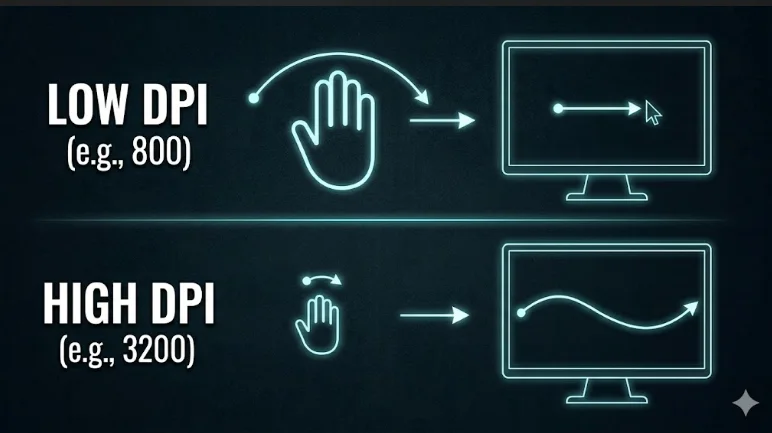
DPI (dots per inch) measures how many pixels your cursor moves across the screen for every inch you physically move your mouse. A higher dpi means the cursor travels farther with less hand movement. A lower dpi means you need to move the mouse more to cover the same distance.
How DPI Works
Inside your mouse sensor, a small optical or laser chip tracks physical movement and converts it into cursor movement on your screen. When you raise the dpi setting, the sensor reports more “dots” for the same inch of movement, so the cursor moves farther and faster.
- 800 DPI: Slower cursor movement, common among competitive FPS players for precise aim.
- 1600 DPI: A balanced middle ground used by many gamers and general users.
- 4000 DPI and above: Useful for high-resolution monitors or fast-paced games where quick flicks matter.
Real-World Example
Imagine two players with the same mouse pad. One uses 400 DPI and has to swing their arm across the entire pad to turn around in-game. The other uses 1600 DPI and only needs a small wrist flick. Neither is “wrong”, it depends on play style, monitor size, and personal comfort.
Benefits and Limitations of DPI
Benefits:
- Lets you adjust sensitivity without changing in-game settings
- Useful for matching mouse movement to monitor resolution
- Can improve comfort for players with limited desk space
Limitations:
- Extremely high dpi can make small, precise mouse movements harder to control
- Higher dpi does not automatically improve accuracy
- Ideal dpi varies heavily by individual preference and game genre
Why DPI Settings Differ Between Players
Every player has a different hand size, grip style, and desk setup, which is exactly why there’s no single “correct” dpi number. A player using a claw grip with a small mouse pad might prefer a higher dpi setting so they don’t run out of pad space mid-swipe. A player with a full-arm grip and a large mouse pad often prefers lower dpi because it gives them finer control over micro-adjustments.
Monitor size and resolution also play a role. On a 4K monitor, a low dpi setting can feel sluggish because the cursor has to travel much farther just to reach the edge of the screen. On a smaller 1080p monitor, that same low dpi might feel perfectly comfortable. This is one reason gaming mice ship with on-the-fly dpi buttons, so players can switch between dpi values depending on the task, whether that’s sniping in an FPS or navigating a desktop.
What Is Polling Rate?
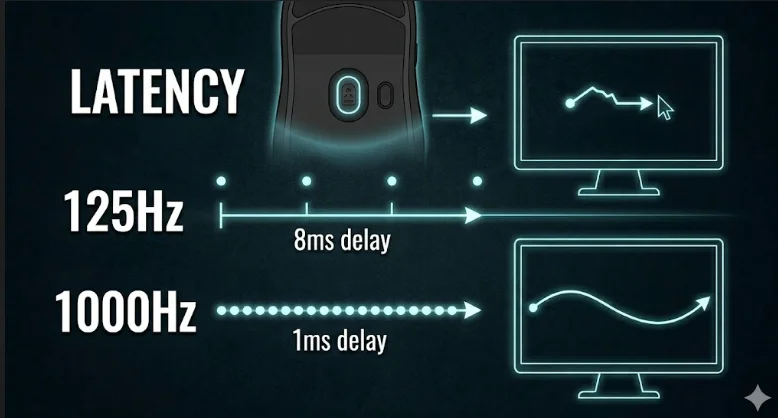
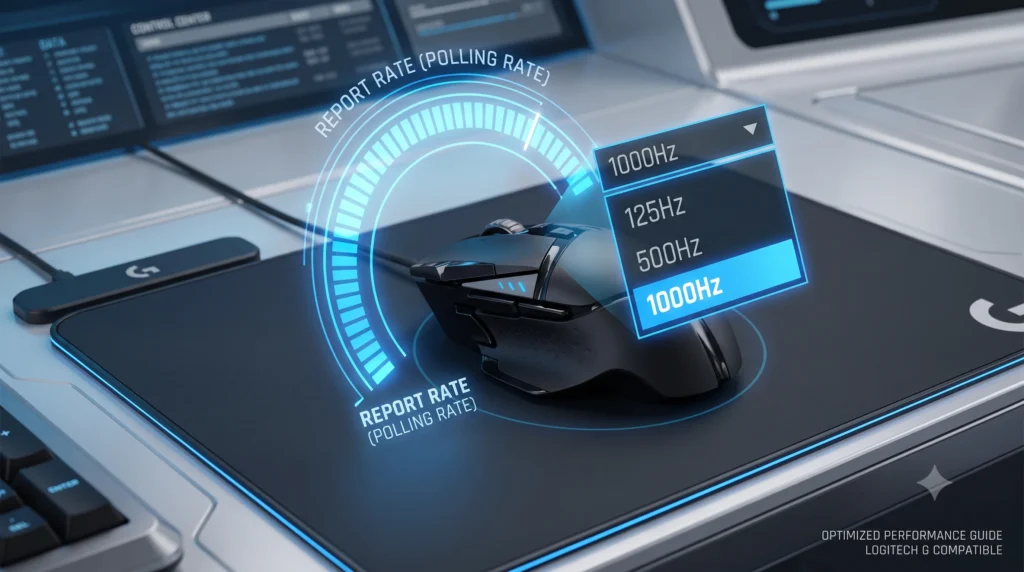
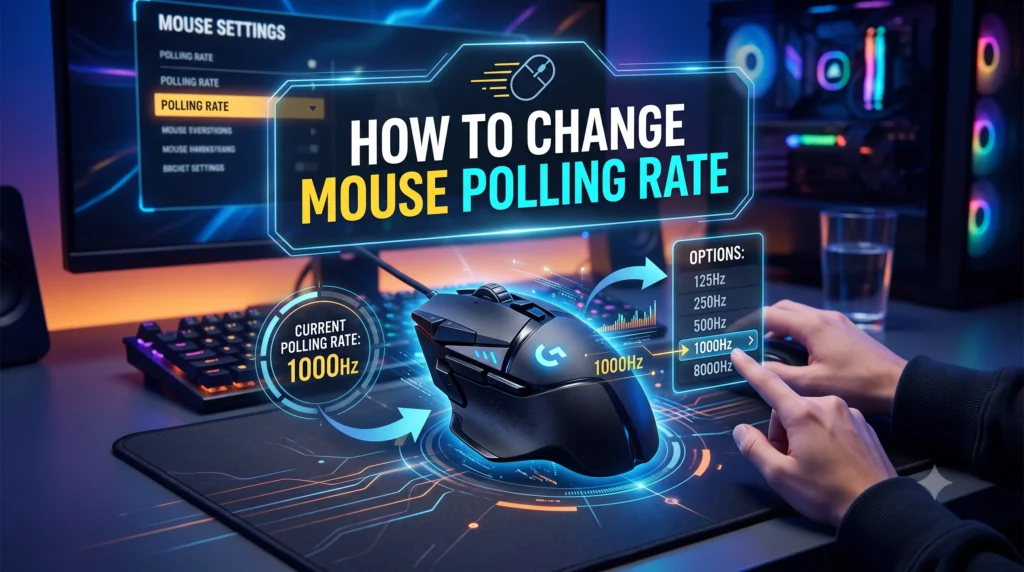
Polling rate measures how many times per second your mouse sends position data to your computer, expressed in Hertz (Hz). A 1000Hz polling rate reports its position 1,000 times every second. A 125Hz polling rate reports far less often, only 125 times per second.
How Polling Rate Works
Every time your mouse polls, it tells your PC exactly where it is right now. A higher polling rate means your computer gets more frequent updates, which can make cursor movement feel smoother and more responsive, especially during fast hand movement.
- 125Hz: The older USB default. Can feel slightly laggy in fast-paced games.
- 1000Hz: The current gaming standard. Smooth, responsive, and supported by nearly all modern gaming mice.
- 8000Hz: Found in some high-end gaming mice. Offers diminishing returns for most players but can reduce click latency further. . If you want to see a direct performance head-to-head, check out our full testing on the 8000Hz vs 1000Hz polling rate to see how it affects real-world gameplay.
Real-World Example
Picture a fast 180-degree turn in a competitive FPS. At 125Hz, your PC only receives an updated cursor position every 8 milliseconds. At 1000Hz, it receives an update every 1 millisecond. The jump from 125Hz to 1000Hz noticeably smooths out fast movements, which is why nearly every modern gaming mouse defaults to 1000Hz.
Benefits and Limitations of Polling Rate
Benefits:
- Reduces input delay between physical mouse movement and on-screen response
- Improves the smoothness of fast cursor movement
- Higher polling rate also helps reduce perceived “stuttering” during quick flicks
Limitations:
- Ultra-high polling rates (4000Hz–8000Hz) can slightly increase CPU usage
- Returns become harder to notice above 1000Hz for most players
- Requires a mouse, cable or receiver, and PC that all support the higher rate
- For cord-free setups, an elevated polling rate significantly increase wireless mouse battery consumption, forcing you to charge your device far more often.
Why Polling Rate Isn’t Always What It Claims to Be
Here’s something most buying guides skip: the polling rate printed on a mouse’s box isn’t a guarantee. The mouse sensor itself, the firmware, the USB cable, and even the wireless receiver all affect whether your mouse actually hits its advertised rate consistently. A budget cable or a crowded USB hub can quietly drop your effective polling rate without any warning on screen.
This is also why two players with the “same” wireless gaming mouse can have noticeably different experiences. One might be running at a clean, stable 1000Hz. The other might be dropping to 500Hz or lower due to interference or an outdated driver, all while their mouse software still displays “1000Hz” as the selected setting. The setting and the real-world performance aren’t always the same thing, which is exactly why learning how to check and change your mouse polling rate matters more than trusting the spec sheet
DPI vs Polling Rate: Key Difference
DPI vs polling rate, they sound like the same thing, but they’re not. One controls how far your cursor moves. The other controls how fast your mouse talks to your PC.”
| Factor | DPI | Polling Rate |
| Definition | How far the cursor moves per inch of physical movement | How often the mouse reports its position per second |
| Function | Controls sensitivity | Controls responsiveness/update frequency |
| Impact on Gaming | Affects how fast you can aim or turn | Affects how smooth and immediate movement feels |
| Impact on Accuracy | Indirect, high dpi can reduce control if too sensitive | Indirect, smoother data improves tracking consistency |
| Impact on Responsiveness | Minimal | Significant, especially in fast-paced games |
| CPU Usage | Negligible | Slightly higher at very high polling rates (4000Hz+) |
| Best Use Case | Matching sensitivity to play style and monitor size | Competitive gaming and fast in-game movement |
Key Takeaway: DPI is about distance and sensitivity. Polling rate is about speed and frequency of updates. They work together, not against each other.
DPI vs Polling Rate: Which Matters More for Gaming?
The honest answer: it depends on what kind of gaming and productivity you’re doing.
FPS Games
In competitive FPS titles, both settings matter, but polling rate often has a bigger impact on perceived smoothness. A higher polling rate ensures your aim feels consistent during quick flicks and micro-adjustments. Most competitive players use a moderate dpi (400–1600) paired with a 1000Hz polling rate.
Competitive Gaming
For competitive fps and esports titles, consistency matters more than raw numbers. Professional players rarely use extremely high dpi. Instead, they fine-tune in-game sensitivity alongside a stable, reliable polling rate.
Casual Gaming
If you’re playing casually, the differences are much less noticeable. A standard wireless gaming mouse with default settings (usually 800–1600 DPI and 1000Hz) is more than enough for most casual play.
Productivity Work
For office work and everyday browsing, dpi setting matters more than polling rate. A comfortable dpi range reduces wrist strain and makes navigating large monitors easier. Polling rate has little noticeable effect outside of gaming.
MOBA and RPG Genres
MOBA and RPG games sit somewhere in the middle. These genres rely less on split-second flicks and more on steady, repeated clicking and camera panning. A moderate dpi paired with a 500Hz–1000Hz polling rate is usually plenty, and players in these genres often value comfort over raw responsiveness, since matches can run 30 minutes or longer.
Key Takeaway: Polling rate tends to matter more for fast, competitive gaming. DPI matters more for comfort, sensitivity, and matching your setup to your monitor and desk space.
Best DPI and Polling Rate Settings
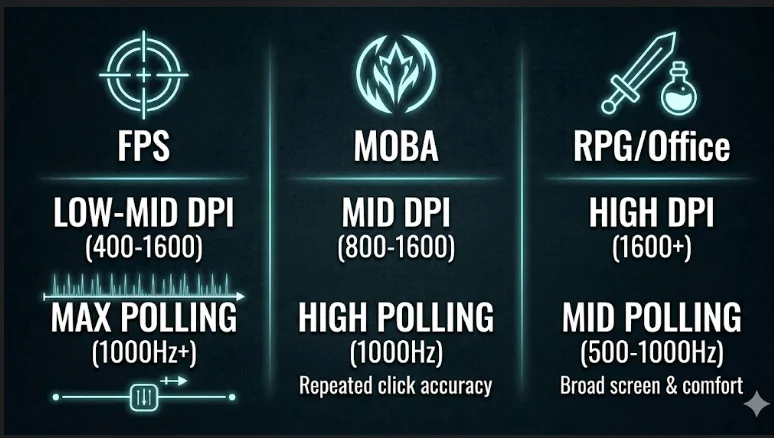
| Use Case | Recommended DPI | Recommended Polling Rate |
| FPS Games | 400–1600 DPI | 1000Hz |
| MOBA Games | 800–1600 DPI | 1000Hz |
| RPG Games | 1600–3200 DPI | 500Hz–1000Hz |
| Office Work | 800–1200 DPI | 125Hz–500Hz |
| General Use | 1000–1600 DPI | 500Hz–1000Hz |
These aren’t strict rules, they’re starting points. The right gaming setup always comes down to personal comfort, mouse pad size, and monitor resolution.
Common Myths About DPI vs Polling Rate
Myth 1: Higher DPI Always Means Better Accuracy
This is false. Extremely high dpi can actually hurt accuracy because tiny hand movements translate into huge cursor jumps. Most professional players use moderate dpi, not maximum settings.
Myth 2: Higher Polling Rate Automatically Improves Aim
A higher polling rate improves smoothness and responsiveness, but does polling rate actually matter as much as marketing suggests? It doesn’t replace skill, practice, or proper sensitivity settings, it’s one factor among many. It’s one piece of a much bigger picture.
Myth 3: Maximum Settings Are Always Best
Maxing out both dpi and polling rate isn’t always better. Extremely high dpi can be hard to control, and 8000hz polling rate setups can slightly raise CPU usage without a noticeable gameplay benefit for most players.
Key Takeaway: More isn’t always better. The goal is finding settings that match your hand movement, play style, and hardware, not chasing the highest number.
DPI vs Polling Rate: How to Choose the Right Settings
- Start with a moderate dpi. Begin around 800–1600 DPI. This range works well for most gaming mice and gaming and productivity tasks alike.
- Set your polling rate to 1000Hz. This is the modern standard and works well across nearly all games and mouse hardware.
- Test your settings in-game. Play a few rounds and pay attention to whether the cursor moves too fast, too slow, or feels smooth during quick turns.
- Adjust gradually. Change polling rate or dpi in small steps rather than jumping straight to extreme settings.
- Check your actual performance. Use a dedicated mouse polling rate tester to confirm your mouse is actually hitting the polling rate it claims. Many gaming mice advertise 1000Hz or 8000Hz but underperform depending on your cable, receiver, or USB port.
- Fine-tune in-game sensitivity. Combine your dpi and polling rate settings with your in-game sensitivity slider for the most precise feel.
Expert Recommendations About DPI vs Polling Rate
For most gamers, the combination of dpi and polling rate that offers the best balance of accuracy, comfort, and responsiveness is:
- DPI: 800–1600
- Polling Rate: 1000Hz
- Mouse Pad: A medium-to-large pad that allows full arm movement without running out of space
If you play highly competitive fps titles and have the hardware to support it, testing a higher polling rate like 2000Hz or 4000Hz can offer marginal smoothness improvements, but it’s not necessary for the vast majority of players.
Key Takeaway: Don’t chase extremely high dpi or 8k polling numbers just because they’re available. Match your settings to your hand movement, monitor, and game genre.
Frequently Asked Questions (FAQ) About DPI vs Polling Rate
What is a good DPI for gaming?
A good dpi range for most gamers is between 800 and 1600. This range offers a strong balance between sensitivity and control for both casual and competitive gaming.
Does Polling Rate Affect FPS?
Yes. Polling rate can slightly affect CPU usage because the mouse sends data more frequently to the computer. However, modern systems usually experience little to no noticeable performance impact, even at 1000hz polling rate or higher.
Is 8000Hz polling rate worth it?
For most players, no. 8000hz polling offers diminishing returns over 1000Hz and can slightly raise CPU usage. It may help in highly competitive, latency-sensitive scenarios, but the difference is hard to notice for casual or moderate players.
Does higher DPI mean a faster mouse?
Higher dpi means the cursor moves farther per inch of physical mouse movement, but it doesn’t make the mouse sensor itself faster or more accurate.
What polling rate do pro gamers use?
Most professional players use 1000Hz polling rate combined with a moderate dpi setting, usually between 400 and 1600, paired with careful in-game sensitivity tuning.
Can low DPI hurt my gaming performance?
Extremely low dpi may require excessive hand movement, which can slow down reaction time in fast-paced games. Low dpi may work well for precision-focused genres but isn’t ideal for everyone.
How do I check my mouse’s actual polling rate?
The easiest way is to use a dedicated mouse polling rate tester. Many gaming mice don’t actually hit their advertised numbers due to cable quality, USB port limitations, or wireless receiver issues.
Does polling rate affect mouse sensitivity?
No. Polling rate affects how often the mouse reports its position, while dpi and in-game sensitivity settings affect how far the cursor moves on screen.
What’s the difference between DPI and sensitivity?
DPI is a hardware setting on the mouse itself. Sensitivity is usually a software setting inside a game. Both work together to determine final cursor or aim speed.
Should I match my DPI to my monitor resolution?
It can help. Higher-resolution monitors often benefit from slightly higher dpi settings so the cursor doesn’t feel sluggish when crossing the screen.
Final Verdict
So, which matters more: DPI vs polling rate?
Neither one wins outright, they solve different problems. DPI controls how far your cursor moves, while polling rate controls how often your mouse reports its position. For most gamers, polling rate has a slightly bigger impact on how smooth and responsive gameplay feels, especially during fast in-game movement. DPI matters more for comfort, control, and matching your setup to your monitor and mouse pad.
The best approach isn’t picking one over the other, it’s finding the right combination of dpi and polling rate for your specific games and hand movement. Start with a moderate dpi (800–1600), set your polling rate to 1000Hz, and adjust from there based on feel.
Before you finalize your settings, it’s worth confirming your mouse hardware is actually performing the way it claims. Run a quick check with our free Mouse Polling Rate Tester to see your mouse’s real polling rate in action, no downloads required.