In competitive gaming, every millisecond counts. Over the past decade, a 1000Hz polling rate has stood as the gold standard for gaming peripherals, trusted by casual players and esports professionals alike. However, the gaming hardware landscape has shifted. Peripheral manufacturers now heavily market a new frontier of performance: the 8000Hz polling rate.
This shift has fueled the growing debate around 8000Hz vs 1000Hz Polling Rate performance.
With flagship mice like the Razer Viper V3 Pro, Final mouse Ultra-light series, and varicous high-polling wireless dongles saturating the market, you might wonder if your current setup is lagging behind. Does an 8x increase in polling frequency translate to better performance, or is it merely marketing hype?
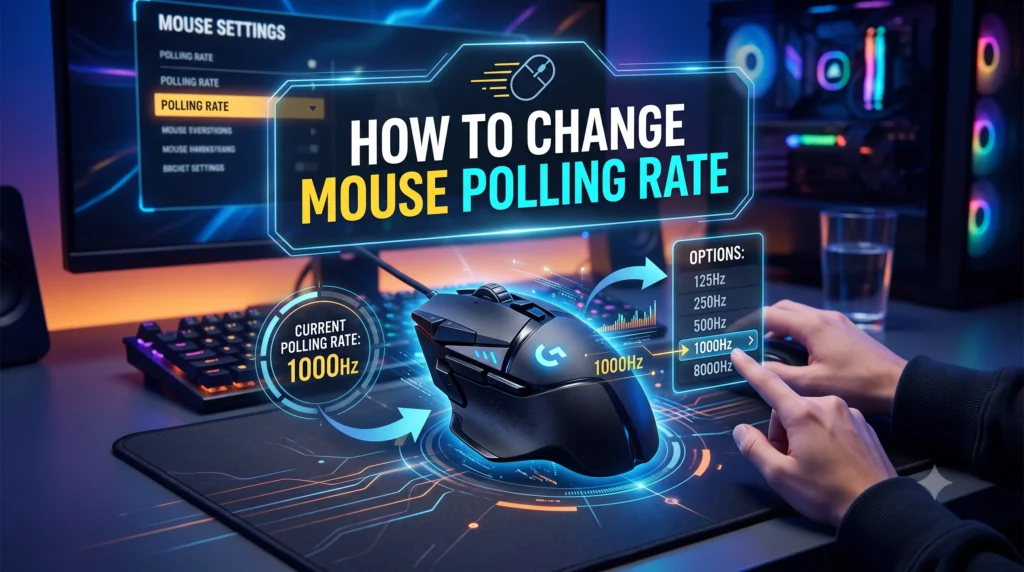
To contextualize this debate, it helps to understand the baseline mechanics of how much a mouse polling rate matters to your overall gaming experience before breaking down these two extreme ends of the performance spectrum. If you already know which setting you want to use, you can jump straight to our quick guide on how to change your mouse polling rate to tweak your device now.
In this guide, we’ll compare 8000Hz and 1000Hz polling rates, examine their impact on latency and gaming performance, and help you decide which option makes the most sense for your setup.
Quick Answer:
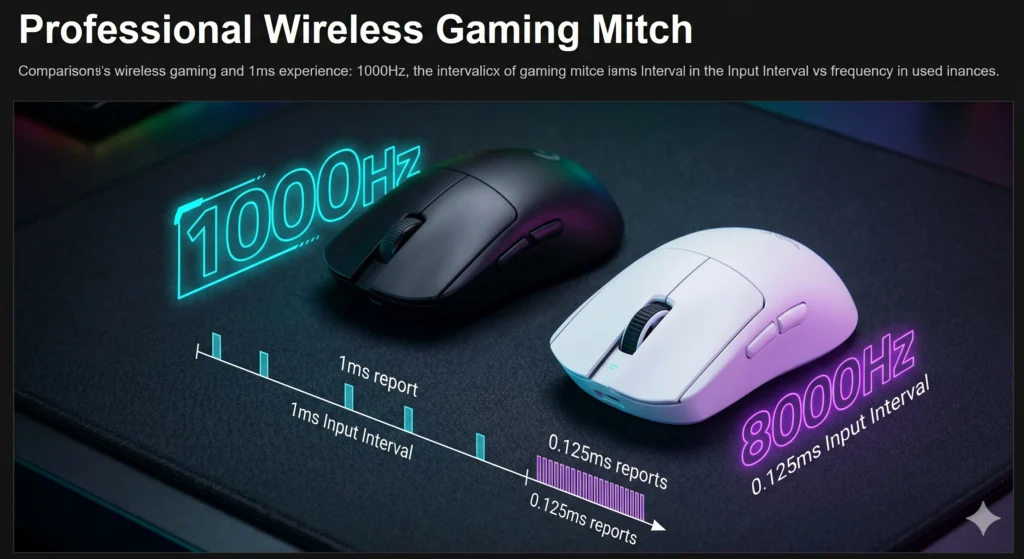
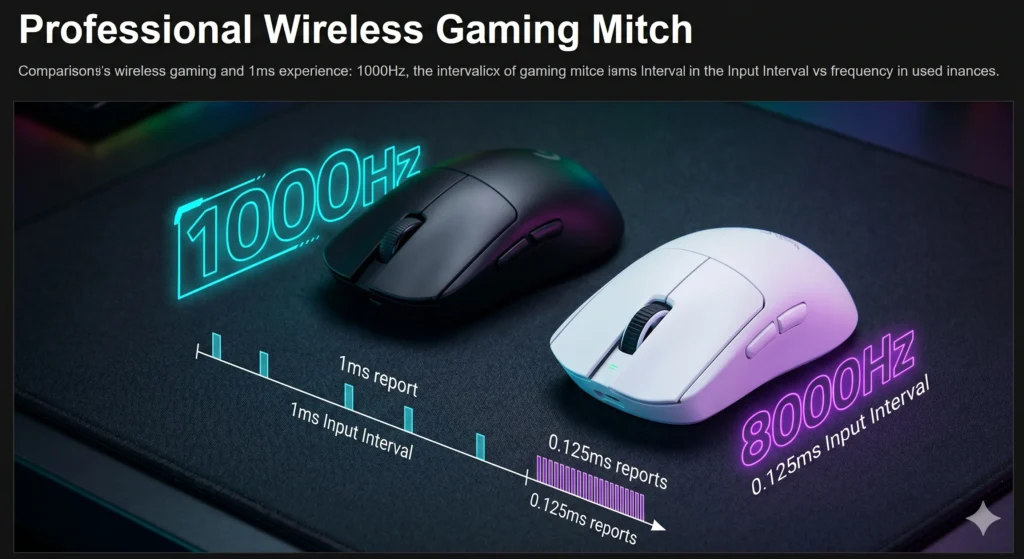
An 8000Hz polling rate transmits mouse data to your PC every 0.125ms, making it eight times faster than the standard 1000Hz polling rate (1ms). While 8000Hz offers marginally lower input lag and smoother cursor tracking on 360Hz and 540Hz displays, it heavily taxes your CPU and drains wireless battery life. For most gamers, 1000Hz remains perfectly sufficient.
Table of Contents
What Is Mouse Polling Rate?
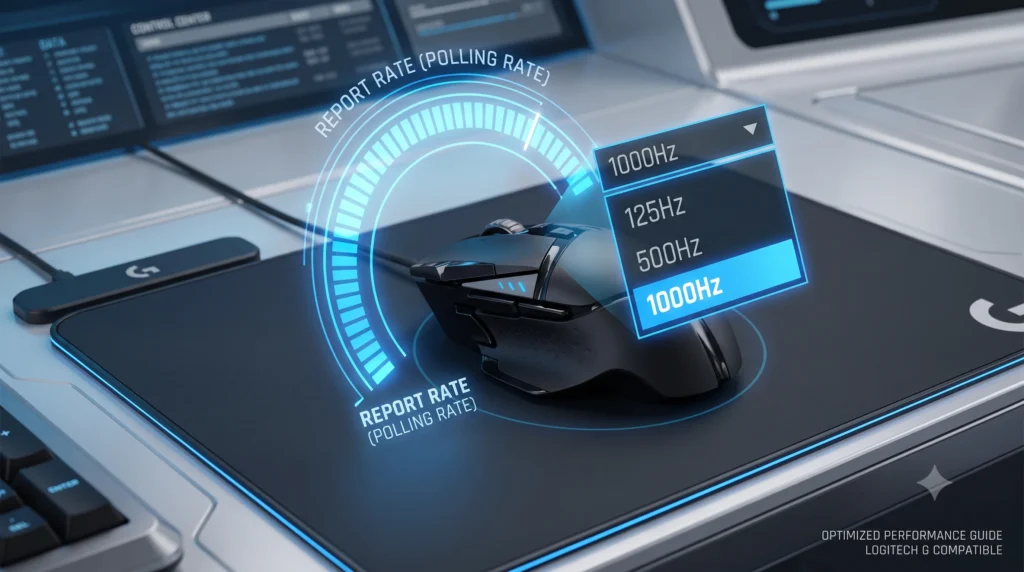
Mouse polling rate is the frequency at which a gaming mouse reports its position and click data to the host computer per second. Measured in Hertz (Hz), it dictates how often your computer’s operating system asks the peripheral for data updates.
This communication is managed by the USB Human Interface Device (HID) class definition, utilizing interrupt-based transfers to ensure that input packets receive prioritized handling from the operating system kernel. A higher polling rate yields a more frequent transmission of updates, reducing the potential delay between your real-world hand movement and the corresponding reaction on your screen.
Before diving into the technical differences, you can benchmark your own device’s real-time reporting frequency using our free, browser-based mouse polling rate tester to see exactly how many updates your PC is currently receiving.
What Does 1000Hz Polling Rate Mean?
A 1000Hz polling rate means that your mouse reports its tracking sensor and microswitch statuses to the PC exactly 1,000 times per second.
- Reporting Interval: 1.0 millisecond (ms) between each consecutive data packet.
- Industry Standing: The standard for competitive gaming for over fifteen years.
- Compatibility: Highly optimized, requiring negligible CPU overhead and compatible with virtually every modern PC game engine.
At 1000Hz, the transmission of data is exceptionally swift. For the vast majority of gaming configurations, a 1ms window ensures a highly responsive connection that aligns well with standard gaming monitors.
What Does 8000Hz Polling Rate Mean?
An 8000Hz polling rate (often referred to as 8K polling) means your mouse transmits its tracking data and click inputs 8,000 times per second.
- Reporting Interval: 0.125 milliseconds (ms), or 125 microseconds, between data packets.
- Industry Standing: The bleeding edge of current gaming peripheral capabilities.
- System Impact: Demands significant processing power and optimized system topology to operate without performance degradation.
By updating eight times more frequently than a standard gaming mouse, an 8000Hz peripheral aims to eradicate macro-interrupt variances and bridge the gap between physical motion and digital rendering.
8000Hz vs 1000Hz Polling Rate: Quick Comparison Table
To understand how these two reporting frequencies stack up across various operational parameters, review the breakdown below:
| Feature / Metric | 1000Hz Polling Rate | 8000Hz Polling Rate |
| Reports Per Second | 1,000 | 8,000 |
| Time Interval Between Reports | 1.0 ms | 0.125 ms (125 microseconds) |
| Average Signal Delivery Delay | ~0.5 ms | ~0.0625 ms |
| Typical CPU Overhead | Very Low (< 0.5% single-core load) | Moderate to High (2% to 5%+ core utilization) |
| Wireless Battery Life Impact | Standard baseline (e.g., 60–90 hours) | Severe reduction (drops by ~70% to 75%) |
| Best Monitored Pairings | 144Hz to 240Hz displays | 360Hz to 540Hz+ displays |
| Game Engine Compatibility | Universal | Requires Raw Input / Modern game engines |
| System Requirement | Entry-level to mainstream PC builds | High-end modern CPU (Ryzen 7/9, Intel Core i7/i9) |
Note: As highlighted in the data above, the leap to 8000Hz introduces severe operational constraints for untethered setups. To understand the power-draw mechanics causing this drop, review our guide on polling rate and wireless mouse battery depletion.
Latency Comparison
When evaluating a high polling rate mouse, it is important to separate theoretical hardware latency from the end-to-end “motion-to-photon” pipeline.
On paper, shifting from 1000Hz to 8000Hz shaves off a substantial portion of the reporting window:
- 1000Hz: 1.0ms window > Average transmission delay = 0.5ms
- 8000Hz: 0.125ms window > Average transmission delay = 0.0625ms
- Net Savings: 0.4375ms (Theoretical maximum savings = 0.875ms)
While reducing mouse latency by roughly 0.44ms sounds like an undeniable win, it must be contextualized within the broader perspective of total system input lag:
- Human Reaction Time: ~180ms to 250ms
- Network Ping: 15ms to 60ms
- Display Lag (Pixel Response + Refresh Link): 2ms to 8ms
- Game Engine Processing: 3ms to 10ms
Independent hardware testing by benchmarking groups like RTINGS confirms that while total click latency drops from roughly 3ms down to 1.5ms when utilizing 8K execution, that sub-millisecond gain accounts for less than 0.5% of the total loop. For the average human, detecting a localized latency shift under half a millisecond is nearly impossible.
Gaming Performance Comparison
Where an 8000Hz configuration truly provides a functional benefit is not raw speed, but rather temporal granularity, the precision of the data sent over a specific period.
When playing competitive gaming titles on standard displays, the game engine draws frames asynchronously from your mouse reports. If you use a 1000Hz mouse on a high-end display, the mouse reports might not align perfectly with the exact millisecond your GPU begins rendering a new frame. This temporal offset results in minor positional discrepancies, which present as minuscule micro-stutters in your cursor or crosshair path.
By increasing your frequency to 8000Hz, you are effectively oversampling your movement path. Instead of supplying less than two position updates per frame on a fast monitor, an 8K device saturates the engine with multiple data packets per frame. This ensures that the engine always operates using fresh, precise coordinate data.
CPU Usage and System Impact
Running an 8000Hz mouse is not a “free” setting; it introduces a measurable tax on your computer’s gaming hardware.
Every single packet transmitted by a mouse triggers a hardware Interrupt Request (IRQ) at the CPU level. Your operating system must pause low-priority tasks momentarily to calculate the new mouse coordinates.
- At 1000Hz: Your CPU processes 1,000 interrupts per second, an effortless task for any processor manufactured in the last decade.
- At 8000Hz: Your CPU must navigate 8,000 interrupts per second.
If you pair an 8K mouse with a mid-range or legacy processor (such as an older Intel Core i5 or AMD Ryzen 5), these rapid interrupts can completely saturate a single processing thread. When a game engine demands 100% of that same core to calculate frame logic or physics, the intense influx of mouse packets can cause erratic frametimes.
Ironically, choosing an unoptimized 8000Hz mode on a modest PC configuration can lead to frame drops and jarring micro-stuttering, completely neutralizing any theoretical latency advantages.
Does 8000Hz Improve Aim and Accuracy?
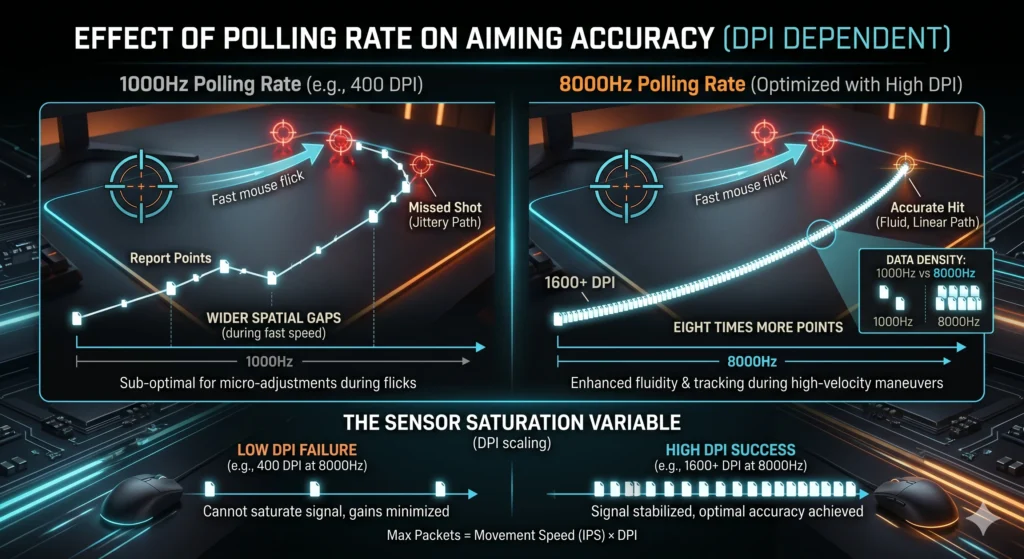
A higher polling rate does not fundamentally alter your physical motor skills, but it can enhance aiming accuracy during specific high-velocity mouse maneuvers.
The primary benefit is observed during fast mouse flicks and rapid tracking sequences in competitive FPS games. When you swing your mouse quickly across the pad, a 1000Hz mouse records wider spatial gaps between its reported points. At 8000Hz, those gaps are filled with eight times more positional data points, leading to fluid, linear tracking.
Is 8000Hz Polling Rate Worth It for Gaming?
So, is 8000Hz polling rate worth it? For competitive gamers with a high-refresh-rate monitor, a capable CPU, and a mouse that properly supports 8000Hz, the higher polling rate can provide smoother cursor movement and slightly more responsive input. However, the improvement is relatively subtle compared with the jump from 125Hz or 500Hz to 1000Hz.
The Sensor Saturation Variable (DPI Scaling)
A common mistake among enthusiasts is enabling 8000Hz while leaving their mouse set to a low sensitivity baseline, such as 400 DPI. While these two metrics are often lumped together, they control entirely separate functions of your hardware. If you need a refresher on the foundational differences, see our full guide on DPI vs polling rate explained.
Simply, a mouse does not inherently generate 8,000 packets per second unless it has enough spatial data to report. The number of packets sent per second is bounded by your movement velocity and your sensor resolution:
Max Packets Generated = Movement Speed (Inches Per Second) x DPI
If you use 400 DPI and make micro-adjustments or slow tracking movements, your mouse sensor may physically lack enough counts to populate 8,000 individual reports in a second. To fully saturate and stabilize an 8000Hz signal, you must increase your internal sensor resolution to at least 1600 DPI or 3200 DPI (and lower your in-game sensitivity multiplier to compensate).
Real-World Gaming Tests
How does this play out across popular tactical shooters and battle royales?
Tactical Shooters (Counter-Strike 2, Valorant)
In games that rely heavily on crosshair placement and precise angle holding, the advantage of 8000Hz is subtle. Because these titles feature sub-frame input optimizations, click registration can feel marginally crisper during high-stress peeking scenarios. However, roughly 90% of active tier-one esports professionals still compete at 1000Hz or 2000Hz due to stability preferences.
Tracking-Heavy Fast Shooters (Apex Legends, Overwatch 2)
In games with rapid tracking mechanics, fast movement, and vertical mobility, 8000Hz feels its most fluid. Tracking an enemy player who is sliding or executing complex movement patterns feels noticeably smoother, provided your PC can maintain a high framerate without single-core bottlenecks.
When 8000Hz Makes Sense
Upgrading to or enabling an 8000Hz polling rate is advisable if you meet the following specific requirements:
- High-End Display Peripherals: You own a cutting-edge 360Hz or 540Hz+ gaming monitor.
- Premium PC Specs: Your rig features an elite modern processor with exceptional single-core performance (e.g., AMD Ryzen 7 7800X3D/9800X3D or Intel Core i7/i9 14th Gen or newer).
- High DPI Configurations: You are comfortable running your native mouse resolution at 1600 DPI or above to ensure true sensor saturation.
- Wired Connections or Close Receivers: You use a dedicated wired layout, or keep your wireless gaming mouse receiver positioned within 12 inches of your mousepad to prevent signal occlusion.
When 1000Hz Is Still Enough
Remaining at a 1000Hz polling rate is the smarter, more practical choice for the majority of setups if:
- Standard Refresh Monitors: You use a standard 144Hz, 165Hz, or 240Hz monitor.
- Mid-Range System Hardware: Your CPU is a mainstream or older model that could experience stability issues from intense IRQ overloading.
- Wireless Longevity Priority: You want to avoid recharging your wireless gaming mouse every 12 to 15 hours. Running at 1000Hz lets most modern wireless sensors operate for 60 to 100+ hours continuously.
- Casual Gaming Needs: You primarily play single-player RPGs, MOBAs, Strategy titles, or casual multiplayer games where sub-millisecond input variances have zero impact on your success.
Pros and Cons
8000Hz Polling Rate
- Pros: Peak fluidity and smoothness; lowest possible theoretical input lag; optimal consistency on 360Hz/540Hz+ panels.
- Cons: Drastically reduces wireless battery life; elevates CPU usage; can introduce game stuttering in older or poorly optimized game engines.
1000Hz Polling Rate
- Pros: Near-universal game engine compatibility; excellent wireless battery conservation; zero measurable CPU performance penalties; trusted baseline.
- Cons: Larger theoretical reporting interval (1ms); can reveal minor micro-stutter anomalies on ultra-high refresh rate displays.
Frequently Asked Questions
Can humans feel the difference between 1000Hz and 8000Hz?
For 99% of players, the difference between 1000Hz and 8000Hz is not perceptible. Only highly sensitive competitive players using 360Hz+ monitors and high-DPI configurations can detect the slight increase in cursor smoothness and responsiveness. For most, any perceived difference is a placebo effect.
Does 8000Hz improve aim?
8000Hz does not directly improve your mechanical aiming skills or muscle memory. It merely provides a more accurate, high-fidelity translation of your physical movements onto the screen, reducing tracking jitter during high-velocity mouse swipes.
Does polling rate increase FPS?
No, a higher polling rate does not increase your frames per second (FPS). In fact, it does the opposite. Because handling 8,000 packets per second demands more processing power from your CPU, it can slightly reduce game FPS or cause frame pacing instability if your CPU becomes bottlenecked.
Is 8000Hz worth it for esports?
For professional esports players looking to maximize every possible advantage, 8000Hz can be worth deploying, provided the competitive PC tournament rigs are powerful enough to sustain it cleanly. However, many pros continue to use 1000Hz or 4000Hz to guarantee total game stability across different venue systems.
Does 8000Hz use more CPU resources?
Yes. Pushing your mouse to 8000Hz forces your CPU to process eight times as many hardware interrupts compared to 1000Hz. This can increase total CPU utilization by 2% to 5% on a single core, which can impact performance in CPU-bound games.
What games benefit from 8000Hz?
Fast-paced, tracking-intensive first-person shooters like Apex Legends, Overwatch 2, Call of Duty, and modern engines like Counter-Strike 2 and Valorant stand to benefit the most, especially if they natively support Raw Input buffer settings.
Is 8000Hz useful on 144Hz, 240Hz, 360Hz, or 540Hz monitors?
144Hz to 240Hz: Not useful. The display frames are too long to reveal the added polling granularity.
360Hz to 540Hz+: Potentially useful. These ultra-fast panels display new frames every 1.85ms to 2.7ms, meaning an 8000Hz input rate helps eliminate micro-stutters by delivering multiple fresh coordinate packets during each individual frame cycle.
Is 8000Hz polling rate better than 1000Hz?
Technically, yes. An 8000Hz polling rate is objectively superior because it sends position and click data to your PC eight times more frequently than a 1000Hz mouse. It drops the communication delay down to a microscopic interval.
The Benefit: This massive influx of data provides smoother cursor tracking, cleaner tracking loops during fast flicks, and removes micro-stutters.
The Reality Check: While it is better on paper, the practical difference is incredibly subtle. For 99% of players, a 1000Hz mouse is already so fast that the human eye and hand cannot perceive the sub-millisecond upgrade.
Is 8000Hz polling worth it?
For the vast majority of gamers, no. The diminishing returns are incredibly steep, and the real-world trade-offs are hard to ignore.
The Severe Battery Hit: If you run a wireless gaming mouse at 8000Hz, you will slash your battery life by roughly 70% to 75%. A mouse that usually lasts a couple of weeks at 1000Hz will suddenly need a charge every day or two.
Hardware Demands: It requires a high-end modern CPU and a native mouse setting of 1600 DPI or higher just to actually saturate and utilize the 8K bandwidth.
The Verdict: It is only worth it if you are a hardcore enthusiast who has already invested in a 360Hz or 540Hz+ gaming monitor and a top-tier processor. For standard 144Hz or 240Hz setups, the upgrade offers zero competitive advantage.
How fast is the 8000 Hz polling rate?
An 8000Hz polling rate transmits a data packet to your operating system every 0.125 milliseconds (or 125 microseconds).
To see how that compares to standard reporting speeds, look at the physical time gap between each update:
125Hz: Updates every 8.0 milliseconds
500Hz: Updates every 2.0 milliseconds
1000Hz: Updates every 1.0 millisecond
8000Hz: Updates every 0.125 milliseconds
By upgrading from 1000Hz to 8000Hz, you are shaving a maximum of 0.875ms off your peripheral’s delivery time. It is a blazing-fast speed milestone, but one that accounts for only a tiny fraction of your total end-to-end system latency.
Final Verdict: Is 8000Hz Worth It?
For the everyday gamer, the upgrade from 1000Hz to 8000Hz is not worth the associated costs and performance trade-offs. The sub-millisecond reduction in input lag is simply too minuscule to notice against other systemic latencies, and the massive hit to wireless battery life alongside the risk of game stutters makes it impractical for standard PCs.
However, if you are a hardcore enthusiast who has invested in a 360Hz or 540Hz monitor, a top-tier modern processor, and you routinely play fast tracking shooters at 1600+ DPI, enabling 8000Hz provides a subtle but tangible improvement in motion clarity and tracking consistency.
Key Takeaways
- The Core Difference: 1000Hz updates every 1ms; 8000Hz updates every 0.125ms.
- Diminishing Returns: The shift from 125Hz to 1000Hz saves 7ms of delay, while the leap from 1000Hz to 8000Hz saves less than 0.9ms.
- The CPU Tax: 8K polling can induce frame drops and stuttering on older or mid-range processors due to interrupt overload.
- Battery Drainer: Activating 8000Hz on wireless gaming mice can slash your continuous battery life by upwards of 70%.
- DPI Prerequisite: You must scale your resolution to 1600 DPI or higher to provide enough data packets to satisfy the 8000Hz bandwidth.
Conclusion
The 8000Hz polling rate represents an impressive engineering milestone for modern gaming peripherals, but it remains an enthusiast feature rather than a competitive necessity. Unless your PC tower and monitor sit at the absolute high-end of technology, a well-optimized, low-latency 1000Hz mouse will deliver all the precision, speed, and reliability required to climb the competitive ranks.