
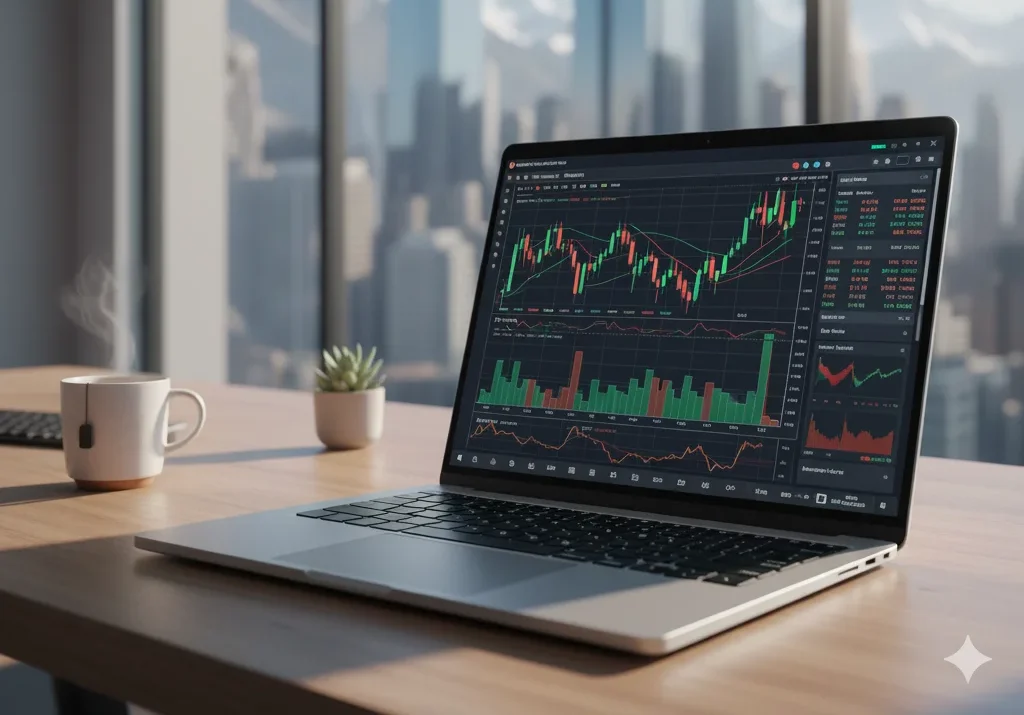
Cryptocurrency trading has become a fast-paced, data-driven industry where every second and every click counts. As traders juggle live charts, multiple exchanges, and automated trading bots, having a high-performance laptop for crypto trading is essential to stay ahead of the market. The best laptops for traders go beyond portability; they deliver unmatched processing speed, cooling performance, screen accuracy, and system stability even during high-volatility sessions.
Whether you’re an experienced day trader, a portfolio manager, or just starting your trading journey, choosing the right laptop for cryptocurrency trading ensures faster execution, better decision-making, and consistent performance.
In this guide, we’ll explore the key features, expert recommendations, and top-performing laptops that empower crypto traders to trade smarter and safer.
Table of Contents
Why a High-Performance Laptop is Non-Negotiable for Crypto Success
Crypto doesn’t sleep: 24/7 feeds from CoinGecko, DeFi dashboards on Uniswap, and AI-driven sentiment tools demand unflinching reliability. A weak rig means frozen order books, delayed alerts on the Crypto Fear & Greed Index, or worst security lapses exposing your Ledger keys to phishing.
Enter 2026 priorities: Laptops built for sustained multitasking, low-latency connectivity (Wi-Fi 7 for sub-1ms pings), and robust encryption to shield against rising hacks. Think seamless runs of MetaTrader hybrids or Python bots for back testing without a hitch. The result? Fewer “what if” regrets and more profitable edges in forex-crypto crossovers. If you’re mobile, aim for 12+ hour batteries; desk-bound? Triple-monitor beasts rule.
Tips tp Choose the Best Laptop for Trading Crypto in 2026
Here’s a comprehensive guide for choosing the best laptop for crypto trading in 2026, what specs matter, what to look for, and how to make sure your setup doesn’t hold you back when the market moves fast.
What to Prioritise
Here are the key areas you should evaluate:
1. Processor (CPU)
Your laptop should easily handle multiple browser tabs, real-time charting, trading bots, and background apps without lag.
- A minimum of a modern Intel i5 or AMD Ryzen 5 is acceptable.
- It is preferable to choose an Intel i7 or Ryzen 7 processor (or better) if you plan to run multiple screens or use demanding software.
- Avoid older dual-core models because lag or delayed response in trading can cost.
2. Memory (RAM)
You’ll often have many charts, tabs, and data-feeds open. More RAM ensures smooth multitasking.
- 16 GB is a good starting point.
- If budget allows, 32 GB gives you more head-room and future-proofing.
As one trader shared on Reddit: “I found this Ryzen 7 with 32 GB RAM helpful for managing multiple browser tabs and trading with real-time charts.”
3. Storage (SSD)
Fast storage delivers quicker system boot, speedier app launches, and faster data retrieval, important when responding to market movements.
- A Solid State Drive (SSD) is strongly recommended.
- 512 GB SSD is a sensible minimum so you have space. If you store lots of data, logs or backups, consider 1 TB.
- Also check for NVMe SSD if possible (faster than old SATA).
4. Display & Resolution
You will likely view charts, trend lines, and multiple windows, so display quality and size are important.
- A 15.6″ sized display or bigger is ideal for visibility.
- Full HD (1920×1080) minimum; if you go higher resolution, even better for clarity.
- If you plan to hook up external monitors or use multi-screen setups, check ports and GPU/graphics capability.
For multi-monitor setups: “What GPU/CPU/RAM specs should I realistically aim for a smooth, lag-free experience?”
5. Graphics (GPU) & External Display Support
While trading doesn’t require a high-end GPU, multiple displays (3 or 4) need stronger GPU or display-output capability.
- For basic trading, integrated graphics suffice. For multiple monitors, use dedicated or strong integrated graphics.
- Check for ports: HDMI, DisplayPort, USB-C/Thunderbolt with display output.
6. Connectivity & Reliability
Your trading laptop should offer strong, reliable connectivity because interruptions can be costly.
- Wi-Fi 6 (or latest) and preferably an Ethernet port if desk-based.
- Good build quality, reliable brand, good cooling (so performance remains stable).
- If you trade on the go, prioritize good battery life. Some laptops provide over eight hours of use.
7. Portability vs Desktop Replacement
Decide where you’ll trade: at a desk with multiple monitors or on the go (coffee shop, travel).
- If mobile, choose lighter weight, good battery, and adequate power.
- If desk-based: you might prioritise more ports, bigger screen, maybe more GPU.
8. Budget & Future-Proofing
- Don’t overspend for features you won’t use (e.g., ultra-gaming GPU if you just chart).
- But avoid under-buying; you don’t want limits in 1-2 years.
- A good laptop for crypto trading in 2026 might cost more than a standard office notebook because you’re asking more of it.
Quick Spec Checklist for 2026 Crypto Trading Laptop
| CPU | Intel i5 / Ryzen 5 | Intel i7 / Ryzen 7 or better |
| RAM | 16 GB | 32 GB |
| Storage (SSD) | 512 GB SSD | 1 TB SSD (NVMe preferred) |
| Display | 15.6″ Full HD | 15.6″ or 16″ / 4K or high res |
| Graphics | Integrated graphics (modern) | Dedicated or strong iGPU + multi-monitor support |
| Ports/Connectivity | WiFi (latest), basic ports | WiFi 6/6E, Thunderbolt/USB-C, Ethernet option |
| Battery/Weight | Good mobile battery (6-8+ hrs) | 8-12+ hrs, lighter weight |
| Reliability | Trusted brand, good cooling | Business-grade durability |
What to Avoid
- A laptop with low RAM (8 GB), likely to slow down with many tabs + trading apps.
- Older CPU that lags or struggles with daily trading workload.
- Only HDD storage or small SSD (e.g., 128 GB) — may fill up quickly.
- Lack of external display support if you’ll use multiple monitors.
- Poorly controlled cooling (excessive throttling will hamper performance during heavy use).
- Connectivity issues (slow WiFi, no Ethernet) if you rely on stable internet for trading.
Choose a laptop that is fast, responsive, handles multitasking well, supports multiple monitors, and is reliable under market stress. Investing now means fewer problems when speed matters most.
Essential Hardware Specs: Tailored for Crypto Trading Levels
Not every laptop is suitable for high-frequency crypto trading. Skip gaming GPUs unless you’re mining, focus on processor (CPU), memory (RAM), and storage (SSD) for analyzing charts and running scanners. Here’s a breakdown, based on professional benchmarks, to fit every trader’s needs.
| Trader Level | CPU Recommendation | RAM | Storage | Display & Battery | Why It Fits Crypto Workloads |
|---|---|---|---|---|---|
| Beginner / Swing Trader | Intel Core i5 (14th Gen+) / AMD Ryzen 5 (7000+) / Apple M3 | 16GB DDR5 | 512GB NVMe SSD | 14″ FHD (60Hz), 10+ hrs | Handles basics like Coinbase tabs and simple charts without overload—affordable entry for spotting altcoin swings. |
| Active / Day Trader | Intel Core Ultra 7 / AMD Ryzen 7 AI / Apple M4 | 32GB DDR5 | 1TB NVMe SSD | 15–16″ QHD/OLED (120Hz+), 12+ hrs | Powers 20+ tabs, live feeds from Kraken, and RSI indicators; anti-glare for marathon sessions tracking Ethereum volatility. |
| Pro / Algo Trader | Intel Core i9 / AMD Ryzen 9 / Apple M4 Pro | 64GB LPDDR5X | 2TB+ NVMe SSD | 16″+ 4K (165Hz), 15+ hrs | Crushes backtesting on Pine Script, AI models, and multi-exchange bots—future-proof for quantitative crypto strategies. |
Pro tip: DDR5 RAM offers faster data transfer than DDR4, which helps during sudden market shifts. Always check for Thunderbolt 4 ports if you plan to connect dual 4K monitors for better chart visibility and workflow.
Top 6 Best Laptop for Trading Crypto in 2026: Curated Picks
After checking almost 20 plus laptop, these gems excel in performance-per-dollar for crypto setups. Prices as of Oct 19, shop Amazon, Best Buy, or direct for deals. Each handles Trading View, Exodus wallets, and beyond with ease.
1. Apple MacBook Pro 16-inch (M4 Pro) – Best Overall Powerhouse
The undisputed king for pros blending DeFi analysis and long-haul trades, its unified architecture flies through AI-enhanced forecasts.
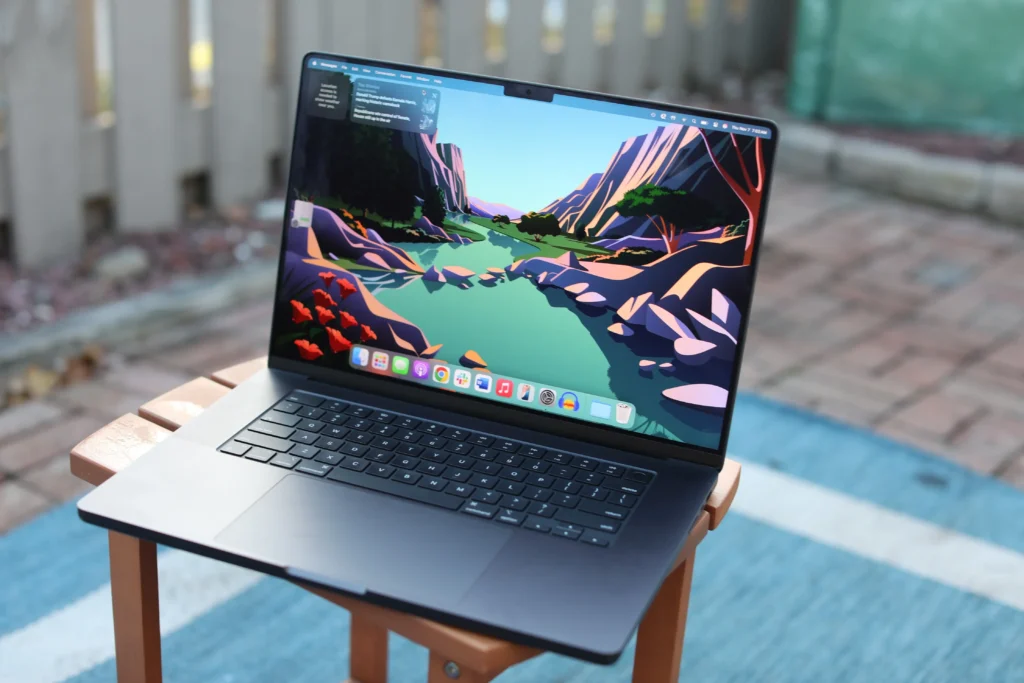
- Key Specs: M4 Pro chip (12-core CPU) handles multiple workloads smoothly. 24-48GB unified RAM lets you run several trading and analysis apps at once. 1TB SSD gives ample, fast storage. The 16.2″ Liquid Retina XDR display (120Hz) shows sharp, clear charts. Battery life up to 22 hours for all-day trading.
- Pros: Jaw-dropping display for candlestick precision; silent thermals; Touch ID for secure logins.
- Cons: Ecosystem lock-in; adapters needed for HDMI.
- Price: ~$2,300.
- Best For: Apple fans running hardware wallets alongside bots.
2. Dell XPS 15 (2026) – Visual Mastery for Pattern Spotters
OLED screen reveals order flows for technical traders.
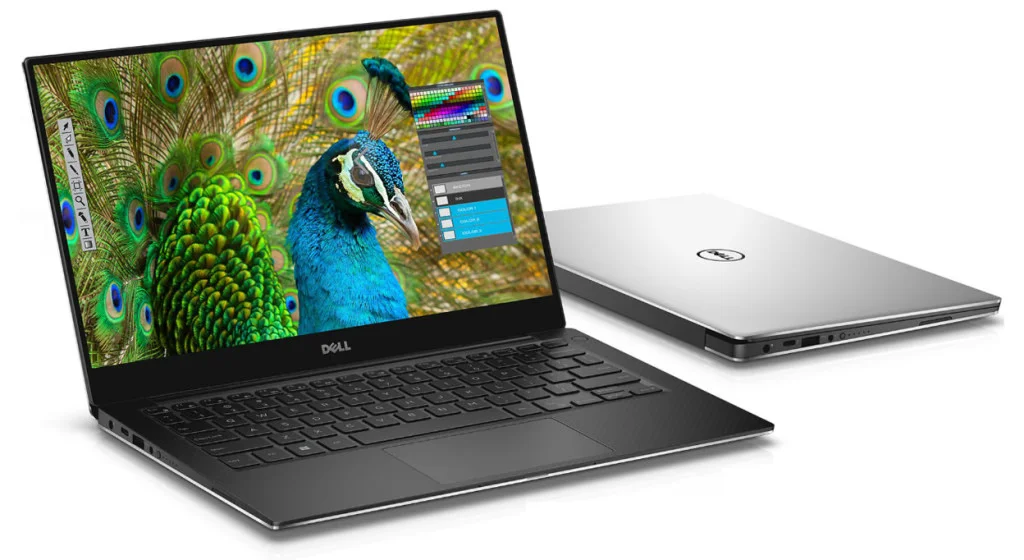
- Key Specs: Intel Core Ultra 7 ensures fast task switching. 32GB RAM supports running multiple apps and tabs smoothly. 1TB SSD provides quick file access and ample storage. The 15.6″ OLED display (3.5K, 120Hz) offers rich, detailed visuals. Up to 12 hours of battery keeps you productive longer.
- Pros: InfinityEdge bezels for immersive charts; optional RTX 4050 for simulations; slim at 4.2 lbs.
- Cons: Upgrades hike costs; warms under peak load.
- Price: ~$1,700.
- Best For: Windows users eyeing multi-monitor crypto dashboards.
3. Lenovo ThinkPad T14s Gen 6 – Reliability Champ for Mobile Pros
Reliable build for mobile traders, ideal for logging trades anywhere.
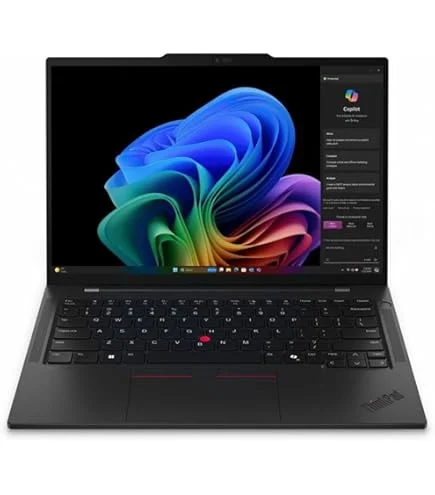
- Key Specs: Snapdragon X Elite or Intel Ultra 7 for smooth performance. 32GB RAM for running several charts and browsers. 1TB SSD for fast program loading and storage. 14″ WUXGA IPS anti-glare screen reduces eye strain. Up to 15 hours of battery life extends mobile use.
- Pros: MIL-STD durability; fingerprint/TPM 2.0 security; expandable ports.
- Cons: Integrated graphics limit heavy visuals.
- Price: ~$1,400.
- Best For: Full-time day traders prioritizing uptime over flash.
4. HP Pavilion Plus 14 (2026) – Top Budget Pick for Starters
Affordable entry with pro-level visuals, great for scaling from phone trades to desktop-like efficiency.
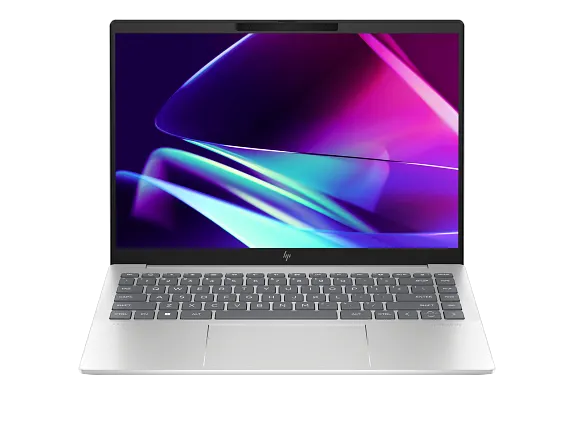
- Key Specs: AMD Ryzen 7 8840HS processor for snappy response. 16GB RAM supports stable multitasking. 512GB SSD offers space and fast access for apps. 14″ 2.8K OLED display gives crisp chart details. 11-hour battery enables longer trading sessions unplugged.
- Pros: Lightweight (3 lbs); vibrant screen for indicators; solid value.
- Cons: Soldered RAM curbs upgrades.
- Price: ~$950.
- Best For: Newbies building crypto portfolios without splurging.
5. ASUS ZenBook Pro Duo 15 OLED – Dual-Screen Wizard for Multitaskers
Revolutionary setup for juggling exchanges and news—secondary screen keeps alerts in view.
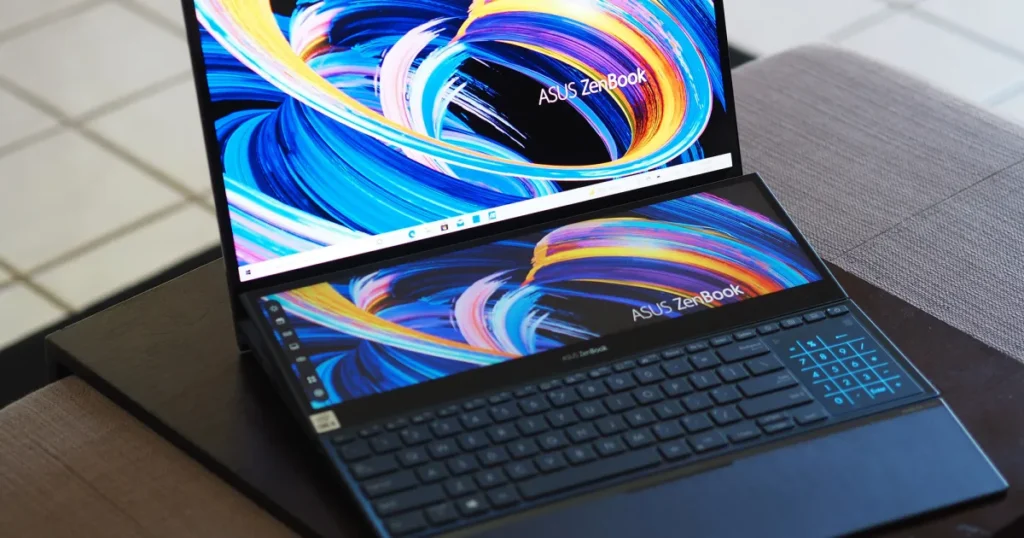
- Key Specs: Intel Core Ultra 9 for powerful multitasking. 32GB RAM provides room for demanding apps. 1TB SSD gives fast access to files and programs. Dual 4K OLED screens (main + ScreenPad) offer an extended workspace for charts and alerts. Battery lasts up to 10 hours with one or both screens in use.
- Pros: Workflow boost for order management; stunning colors for charts.
- Cons: Keyboard ergonomics; battery dips with both screens.
- Price: ~$2,000.
- Best For: Visual traders monitoring multiple assets like BTC/ETH pairs.
6. Razer Blade 14 (2026) – Compact Beast for Algo Enthusiasts
Powerful GPU in a slim body, perfect for backtesting on the go.
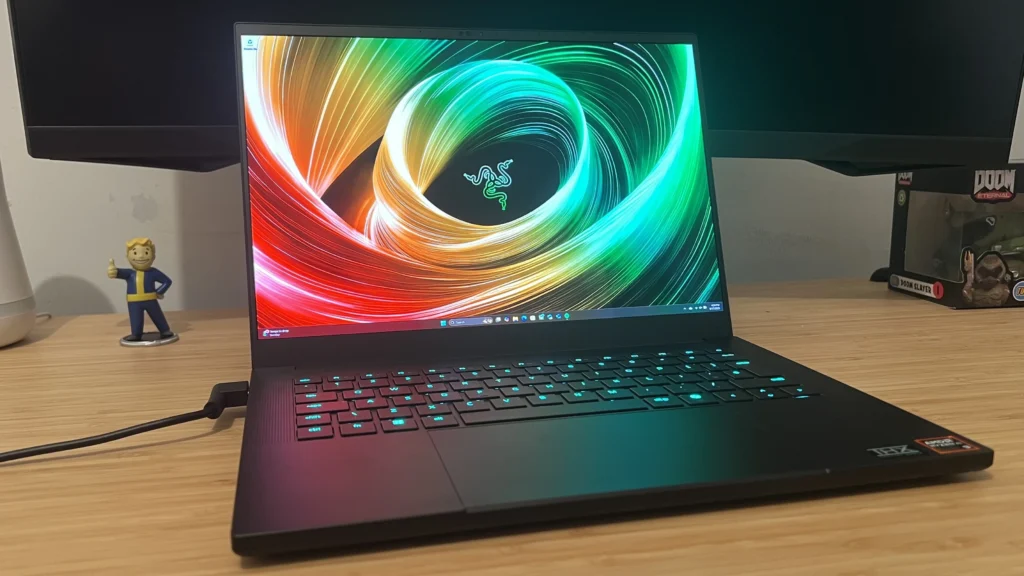
- Key Specs: AMD Ryzen 9 for heavy-processing tasks and fast analysis. NVIDIA RTX 4070 graphics speed up backtesting and simulations. 32GB RAM supports multiple feeds and bots. 1TB SSD provides high-speed storage. 14″ QHD+ display (240Hz) shows details clearly and refreshes quickly. 10-hour battery for mobile use.
- Pros: MUX switch for efficiency; premium aluminum build.
- Cons: Gaming aesthetics; fan hum under load.
- Price: ~$1,900.
- Best For: Techies into quantitative trading or hybrid crypto/gaming.
Common Mistakes to Avoid When Buying a Crypto Trading Laptop
Even savvy traders trip up, here’s how to sidestep regrets that lead to slippage or crashes.
- Chasing Brands Over Benchmarks: Flashy logos (e.g., ultra-thins) often skimp on cooling, causing throttling mid-pump. Prioritize i7-equivalent CPUs and 16GB+ RAM baselines.
- Ignoring Thermal Management: Heat kills performance; opt for dual-fan systems in business/gaming hybrids to avoid lag during 24/7 monitoring.
- Low-Res Screens for Analysis: 1080p blurs RSI lines; demand QHD+ with 120Hz for smooth scrolls and reduced eye strain.
- Skimping on Battery/Ports: 8-hour minimums and Thunderbolt ensure outage-proof trades; Ethernet adapters beat spotty Wi-Fi.
- Overlooking Security: No TPM or biometrics? Risky for hot wallets, pair with VPNs and YubiKeys always.
- No Future-Proofing: Lock in expandable RAM/USB 4.0 now; crypto tools evolve fast with AI integrations.
Optimizing Security and OS for Your Trading Rig
Windows dominates for broad app support (e.g., MT5), but macOS’s Secure Enclave shines for inherent crypto safety. Whichever: Enable full-disk encryption, 2FA everywhere, and hardware like Ledger for offline keys. Test your pick with demo platforms pre-purchase.
FAQs: Quick Answers on Laptops for Crypto Trading
1. Which laptop is best for crypto trading?
The Apple MacBook Pro M4 Pro tops the lists for its speed and battery, but the Dell XPS 15 wins for Windows versatility.
3. How much RAM do I need for crypto trading?
16GB minimum for smooth multitasking; 32GB for pros juggling bots and feeds.
4. What specs do I need for a trading laptop?
For crypto or stock trading, your laptop must deliver speed, stability, and multitasking performance. Here are the key specifications to look for:
Multi-core CPU (Ultra 7+), 16GB+ RAM, 512GB SSD, QHD display, and Wi-Fi 6E, focus on these for lag-free executions.
5. Best budget laptop for cryptocurrency trading?
HP Pavilion Plus 14 at ~$950 delivers OLED charts and solid power without compromise.
Level Up Your Trades: Final Thoughts
In 2026’s crypto arena, the best laptop for trading isn’t just hardware, it’s your silent partner against market mayhem. From the M4 Pro’s endurance to the ZenBook’s dual-view magic, these picks tackle real pains like portability and pattern-blind spots. Grab one, test with your stack, and watch those edges sharpen.
Budget or style in mind? Hit the comments, let’s tweak this for you. Trade safe, stack sats, and may the charts align!
Prices/availability as of Oct 19, 2026; not financial advice. Sourced from expert reviews.
Also Read: SafeCam 360 Security Camera Review 2026: Honest Test, Real Results & Easy Setup Guide