
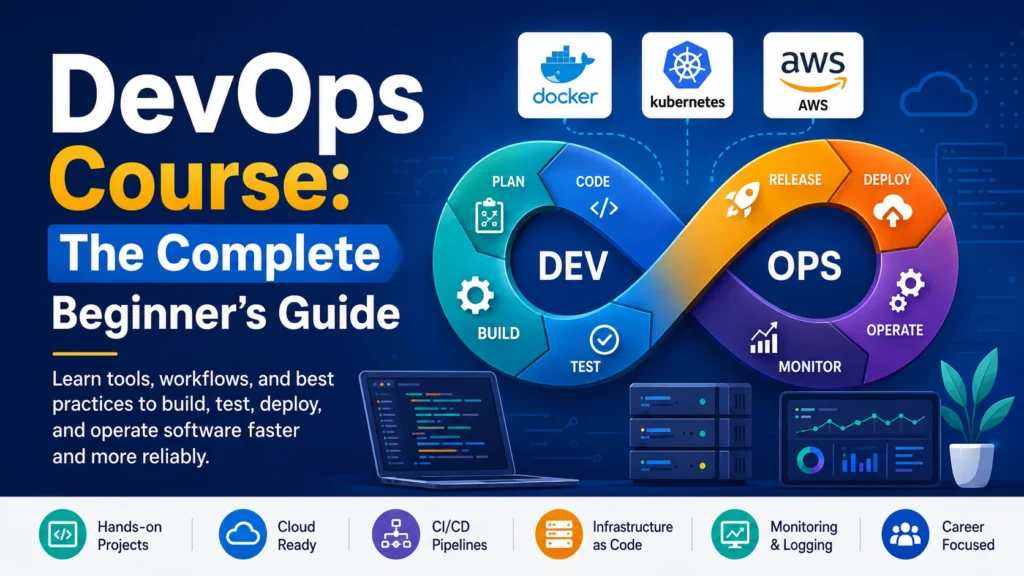
A DevOps course teaches you the tools, workflows, and culture needed to merge software development and IT operations into one continuous process. Instead of developers writing code and operations teams deploying it separately, DevOps blends both jobs so releases happen faster and with fewer failures.
Most beginner courses cover automation, continuous integration and continuous delivery (CI/CD), containers, cloud platforms, and monitoring. This guide breaks down what a DevOps course actually teaches, how to pick the right one for your goals, which certifications are worth the money, and a step-by-step roadmap you can follow starting today.
Quick Answer
A DevOps course is a structured training program, online, in-person, or self-paced, that teaches the practices and tools used to unify software development and IT operations. A solid beginner course covers version control (Git), CI/CD pipelines, containerization (Docker), orchestration (Kubernetes), cloud platforms (AWS, Azure, or GCP), infrastructure as code (Terraform or Ansible), and monitoring. Most learners need three to six months of consistent, hands-on practice to reach a job-ready level.
Table of Contents
What Is a DevOps Course?
DevOps combines “development” and “operations” into one continuous workflow. A DevOps course teaches you how that workflow actually runs in practice — not just the theory behind it.
The term describes a culture and a set of practices, not a single tool. So a good course doesn’t just teach you Docker or Kubernetes in isolation. It shows you how those tools fit into a pipeline that takes code from a developer’s laptop to a live production server, automatically and safely.
Key entities you’ll see across almost every course:
| Category | Common Tools |
|---|---|
| Version Control | Git, GitHub, GitLab, Bitbucket |
| CI/CD | Jenkins, GitHub Actions, GitLab CI, CircleCI |
| Containers | Docker, Podman |
| Orchestration | Kubernetes, Docker Swarm |
| Infrastructure as Code (IaC) | Terraform, Ansible, Pulumi |
| Cloud Platforms | AWS, Microsoft Azure, Google Cloud |
| Monitoring | Prometheus, Grafana, Datadog, Nagios |
You don’t need to master every tool in this table. Most jobs use two or three from each category, and courses focus on the combinations employers actually hire for.
Do You Actually Need a Course to Learn DevOps?
No single course is mandatory. DevOps skills are documented in free official manuals, YouTube channels, and vendor documentation. Some engineers learn entirely through self-directed practice.
That said, a structured course solves three problems self-study often doesn’t:
- Sequencing. DevOps tools depend on each other. A course orders topics so you learn Git before CI/CD, and CI/CD before Kubernetes, instead of jumping around.
- Hands-on labs. Reading about Terraform is not the same as debugging a failed deployment at 11 p.m. Courses with sandbox environments force that practice.
- Proof for employers. A certificate or certification exam gives hiring managers a fast way to verify baseline knowledge, especially for a first DevOps role.
If you’re naturally disciplined and already comfortable with Linux and scripting, self-study can work. If you want structure and accountability, a course shortens the learning curve significantly.
What You’ll Learn in a DevOps Course
Course content varies by provider, but nearly all beginner-to-intermediate DevOps courses cover the following core areas.
Version Control and Collaboration
You’ll learn Git commands (clone, commit, branch, merge, rebase) and how teams collaborate through pull requests on GitHub or GitLab. This is the foundation everything else builds on.
Continuous Integration and Continuous Delivery (CI/CD)
CI/CD automates testing and deployment every time code changes. Continuous integration merges code changes frequently and runs automated tests; continuous delivery automatically prepares that code for release. You’ll build pipelines using tools like Jenkins or GitHub Actions.
Containerization
Containers package an application with everything it needs to run, so it behaves the same on any machine. You’ll learn to write Dockerfiles, build images, and manage containers.
Orchestration
Once you’re running dozens or hundreds of containers, you need a system to manage them. Kubernetes automates deployment, scaling, and recovery of containerized applications across a cluster of machines.
Infrastructure as Code (IaC)
Infrastructure as code means defining servers, networks, and databases in text files instead of clicking through a dashboard. Tools like Terraform let you version, review, and repeat infrastructure changes the same way you version application code.
Cloud Computing Fundamentals
Most courses pick one cloud platform — AWS is the most common — and teach core services: virtual machines, storage, networking, and identity management.
Monitoring and Logging
You’ll learn to track application health using metrics, logs, and alerts, so problems get caught before users notice them. Prometheus and Grafana are the most widely taught combination.
Configuration Management
Tools like Ansible automate repetitive setup tasks across many servers, replacing manual configuration with reusable scripts.
DevOps Roadmap for Beginners
Use this roadmap as a step-by-step guide, whether you’re following a paid course or teaching yourself.
- Learn Linux basics. File systems, permissions, processes, and shell scripting. Most DevOps tools run on Linux servers.
- Learn a scripting language. Python or Bash. You’ll use scripts to automate almost everything.
- Master Git. Branching, merging, pull requests, and resolving conflicts.
- Understand networking basics. DNS, HTTP/HTTPS, load balancing, and firewalls.
- Learn one cloud platform. Start with AWS, Azure, or GCP — depth matters more than breadth at this stage.
- Learn Docker. Build, run, and manage containers.
- Build a CI/CD pipeline. Automate testing and deployment for a small project.
- Learn Kubernetes basics. Pods, deployments, services, and scaling.
- Learn infrastructure as code. Start with Terraform.
- Practice monitoring. Set up Prometheus and Grafana on a test project.
- Build a portfolio project. Combine everything into one deployed, monitored application.
- Apply for junior DevOps or cloud support roles, or pursue a certification to strengthen your resume.
Expert tip: Don’t try to learn all twelve steps in parallel. Sequential, project-based learning sticks far better than jumping between tools.
Types of DevOps Courses
DevOps training comes in several formats, each suited to a different learning style and budget.
| Course Type | Typical Length | Format | Best For |
|---|---|---|---|
| Self-paced online course | 20–80 hours | Video + labs | Learners who need flexibility |
| Cohort-based bootcamp | 8–16 weeks | Live instruction + projects | Career changers wanting accountability |
| University certificate program | 3–12 months | Structured curriculum | Learners who want academic credit |
| Vendor certification prep course | 10–40 hours | Exam-focused | Professionals targeting a specific certification |
| Free YouTube/documentation-based learning | Self-directed | Video + reading | Highly self-motivated beginners on a budget |
Signs of a High-Quality DevOps Course
Regardless of format, a strong DevOps course shares a few traits: hands-on labs (not just video lectures), up-to-date tool versions, real deployment projects, and instructors with production experience — not just teaching experience. Course previews and syllabi usually reveal these details before you pay.
DevOps Certifications Worth Getting
Certifications don’t replace hands-on skills, but they help beginners pass resume screens and validate specific tool knowledge.
| Certification | Issuing Body | Focus Area | Good For |
|---|---|---|---|
| AWS Certified DevOps Engineer – Professional | Amazon Web Services | AWS-based CI/CD, IaC, monitoring | Intermediate learners already familiar with AWS |
| Certified Kubernetes Administrator (CKA) | Cloud Native Computing Foundation (CNCF) | Kubernetes cluster administration | Anyone targeting container orchestration roles |
| Docker Certified Associate | Mirantis/Docker | Container fundamentals | Beginners wanting a container-specific credential |
| Microsoft Certified: DevOps Engineer Expert | Microsoft | Azure DevOps practices | Azure-focused environments |
| HashiCorp Certified: Terraform Associate | HashiCorp | Infrastructure as code | Anyone working heavily with IaC |
Limitation to note: certifications validate knowledge of a specific vendor’s tools. They don’t guarantee job readiness on their own — most hiring managers still expect a portfolio project or prior hands-on experience alongside the certificate.
Free vs. Paid DevOps Courses
| Factor | Free Courses | Paid Courses |
|---|---|---|
| Cost | $0 | Ranges from one-time fees to monthly subscriptions |
| Structure | Often scattered across multiple sources | Usually sequenced and curriculum-based |
| Hands-on labs | Limited or self-arranged | Frequently included in sandbox environments |
| Support | Community forums only | Instructor or mentor support in many programs |
| Certificate of completion | Rare | Common |
| Best for | Self-motivated learners with time to research | Learners who want structure and accountability |
Pros of free courses:
- No financial barrier to start learning
- Often taught by practicing engineers on YouTube
- Good for testing whether DevOps interests you before committing money
Cons of free courses:
- Content can be outdated or inconsistent in quality
- No structured feedback or grading
- Harder to prove completion to employers
If you go the free route, pair videos with structured reading to fill the gaps, the same principle behind our best books for learning cybersecurity applies just as well here: pick a handful of well-reviewed titles instead of trying to absorb everything at once.
Pros of paid courses:
- Structured curriculum with clear progression
- Often includes graded projects and instructor feedback
- Some include job-search support or interview prep
Cons of paid courses:
- Upfront cost, sometimes significant for bootcamps
- Quality still varies widely between providers — price isn’t a quality guarantee
How to Choose the Best DevOps Course for Your Goals
Use this simple decision path to narrow your options. It follows the same logic we use in our guide to choosing the right cybersecurity program: match the format to your skill level and goals first, then worry about brand names.
Step 1: What’s your current skill level?
- Complete beginner → start with a foundational course covering Linux, Git, and scripting before anything else.
- Some IT or development background → skip to a CI/CD or cloud-focused course.
Step 2: What’s your goal?
- Career change into DevOps → choose a bootcamp or structured program with projects and support.
- Skill upgrade in a current tech role → choose a certification-prep course targeted at one tool or platform.
- General curiosity → start with a free course before paying for anything.
Step 3: What’s your budget and timeline?
- Limited budget, flexible timeline → self-paced or free course.
- Have budget, want speed and accountability → cohort-based bootcamp.
Step 4: Check the syllabus for hands-on labs.
If a course description doesn’t mention labs, sandbox environments, or projects, treat that as a warning sign — video-only courses rarely build job-ready skills on their own.
Prerequisites: Skills to Have Before You Start
You don’t need a computer science degree, but a few basics make DevOps courses far easier to follow:
- Basic command-line comfort (navigating folders, running commands)
- Understanding of how a web application works (client, server, database)
- Familiarity with at least one programming or scripting language
- Basic networking concepts (IP addresses, ports, DNS)
If any of these feel unfamiliar, spend one to two weeks on free introductory resources before starting a paid DevOps course. It prevents early frustration and wasted course time.
Common Mistakes Beginners Make
- Trying to learn every tool at once. Depth in a few tools beats shallow exposure to a dozen.
- Skipping Linux and scripting fundamentals. Every DevOps tool assumes comfort with the command line.
- Watching videos without building anything. Passive learning doesn’t transfer to real troubleshooting skills.
- Chasing certifications before hands-on practice. A certificate without project experience rarely convinces hiring managers alone.
- Ignoring monitoring and logging. Beginners often focus only on deployment and skip the observability side of DevOps, which is equally important on the job.
- Not reading error messages carefully. Debugging is a core DevOps skill — rushing past errors slows learning down.
Expert Tips for Getting the Most from Your Course
- Rebuild every lab from scratch once, without following the instructions. This confirms you understand the “why,” not just the “click here” steps.
- Keep a personal notes repository on GitHub. Documenting what you learn also builds a visible portfolio.
- Break things intentionally. Delete a container, misconfigure a pipeline, then fix it. Production issues rarely look like tutorial examples.
- Join a study group or Discord community tied to your course. Troubleshooting with others mirrors real team collaboration.
- Set a deployment project as your finish line, not a course completion certificate. A working, documented project demonstrates skill far better than a badge.
Career Paths After a DevOps Course
Completing a course typically opens doors to several related roles, not just “DevOps Engineer”:
- Junior DevOps Engineer — entry point focused on maintaining pipelines and infrastructure
- Site Reliability Engineer (SRE) — focuses heavily on system reliability and monitoring.
- Cloud Support Engineer — troubleshoots cloud infrastructure issues.
- Release Engineer — manages build and deployment pipelines.
- Platform Engineer — builds internal tools and infrastructure for other developers.
Salaries for these roles vary significantly by country, city, company size, and experience level, so treat any specific number you see online as a rough estimate rather than a guarantee. Checking current listings on major job boards for your specific location gives a more accurate picture than any single average figure.
A certification isn’t a hard requirement to break in, either. The same holds true on the security side, where plenty of entry-level roles hire without a certification, favoring hands-on skill and a solid portfolio project instead.
Frequently Asked Questions
What is DevOps in simple terms?
DevOps is a way of working that combines software development and IT operations so teams can build, test, and release software faster and more reliably, using automation instead of manual processes.
How long does a DevOps course take to complete?
Most self-paced courses take 20 to 80 hours to finish. Reaching genuine job readiness, including practice projects, usually takes three to six months of consistent effort.
Is DevOps hard to learn for beginners?
DevOps involves many interconnected tools, which can feel overwhelming at first. It becomes manageable when you learn tools in sequence and practice with real projects instead of trying to absorb everything at once.
Do I need coding skills for DevOps?
You don’t need advanced software development skills, but basic scripting in Python or Bash is essential for automating tasks, which is central to DevOps work.
Can I learn DevOps without a computer science degree?
Yes. Many working DevOps engineers come from system administration, IT support, or self-taught backgrounds. Hands-on skills and portfolio projects matter more than a specific degree.
Which DevOps course is best for beginners?
The best beginner course is one with structured sequencing, hands-on labs, and up-to-date tools — rather than any single “best” provider. Match the course format (self-paced, bootcamp, or certification prep) to your budget and learning style.
Is a DevOps certification worth it?
Certifications help beginners pass initial resume screening and validate specific tool knowledge, but they work best alongside hands-on project experience, not as a replacement for it.
How much does a DevOps course cost?
Costs range from free (YouTube and open documentation) to several thousand dollars for cohort-based bootcamps. Self-paced online courses typically fall in the moderate middle range.
Can I learn DevOps in three months?
It’s possible to learn the fundamentals in three months with focused, daily practice, though comfort with more advanced tools like Kubernetes usually takes longer.
What’s the difference between DevOps and Site Reliability Engineering (SRE)?
DevOps is a broader culture and practice focused on collaboration and automation across the software lifecycle. SRE is a related discipline that applies software engineering principles specifically to system reliability and uptime.
Conclusion
A good DevOps course gives you a structured path through a genuinely wide field — from Git and Linux fundamentals to CI/CD pipelines, containers, and cloud infrastructure. The right choice depends less on finding the single “best” provider and more on matching the course format to your current skill level, budget, and goals.
Whichever DevOps course you choose, prioritize hands-on labs and real projects over passive video watching. Tools and platforms will keep evolving, but the habit of building, breaking, and fixing real systems is what actually turns course material into a job-ready skill.